


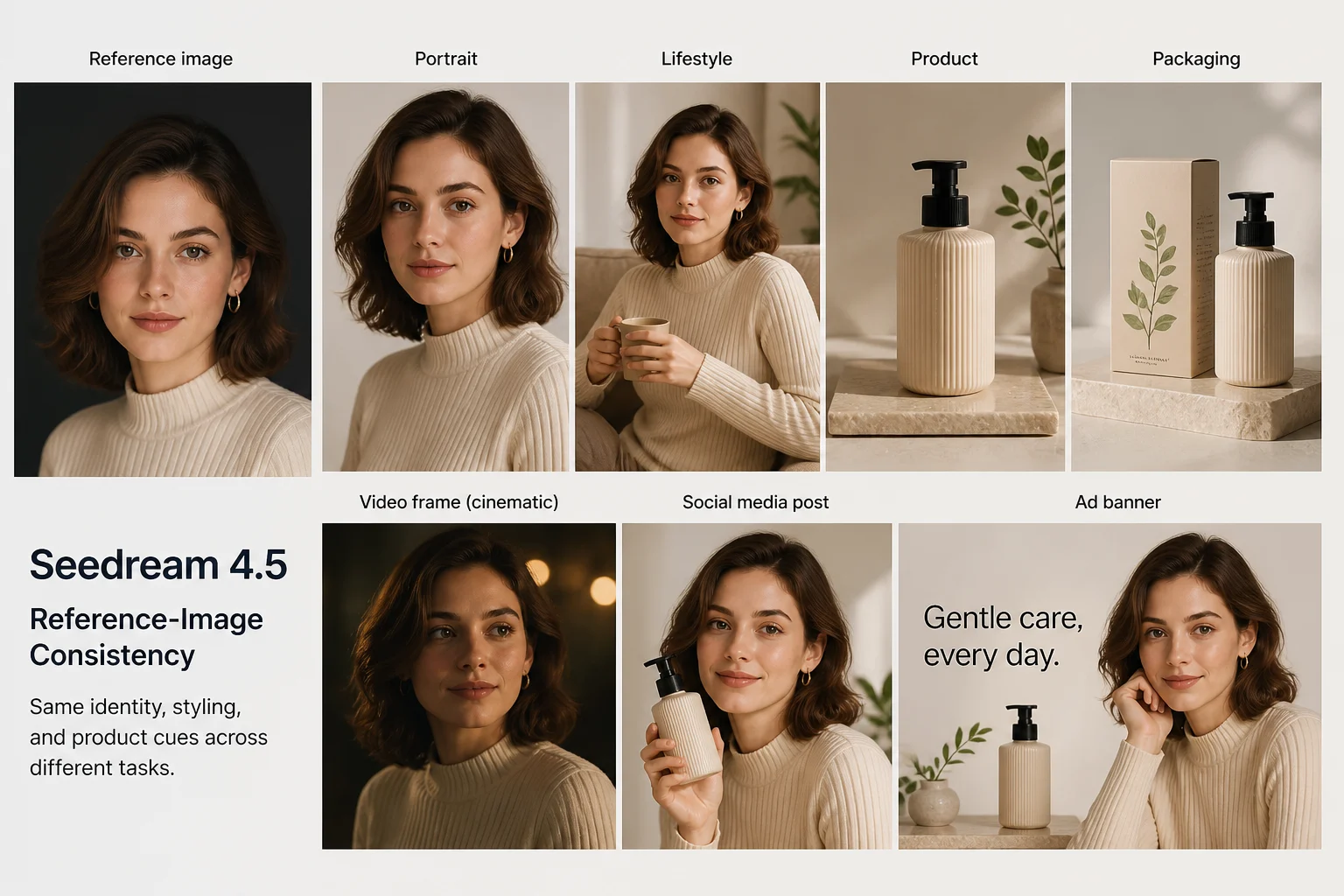
Reference-Image Consistency
Assess whether the reference image keeps identity, styling, and product cues consistent across the intended visual task.
Review Seedream 4.5 capabilities, inputs, limits, and current ClipCanva availability before planning an AI image task.
This page keeps the exact model identity visible and does not run a different model under the same name. Use the related model links below to open a connected workflow.
Seedream 4.5 is a ByteDance image model described for reference consistency, typography, poster layout, and multi-image editing.

Use the documented capabilities as evaluation criteria, not as promises about current ClipCanva execution or final quality.
Assess whether the reference image keeps identity, styling, and product cues consistent across the intended visual task.
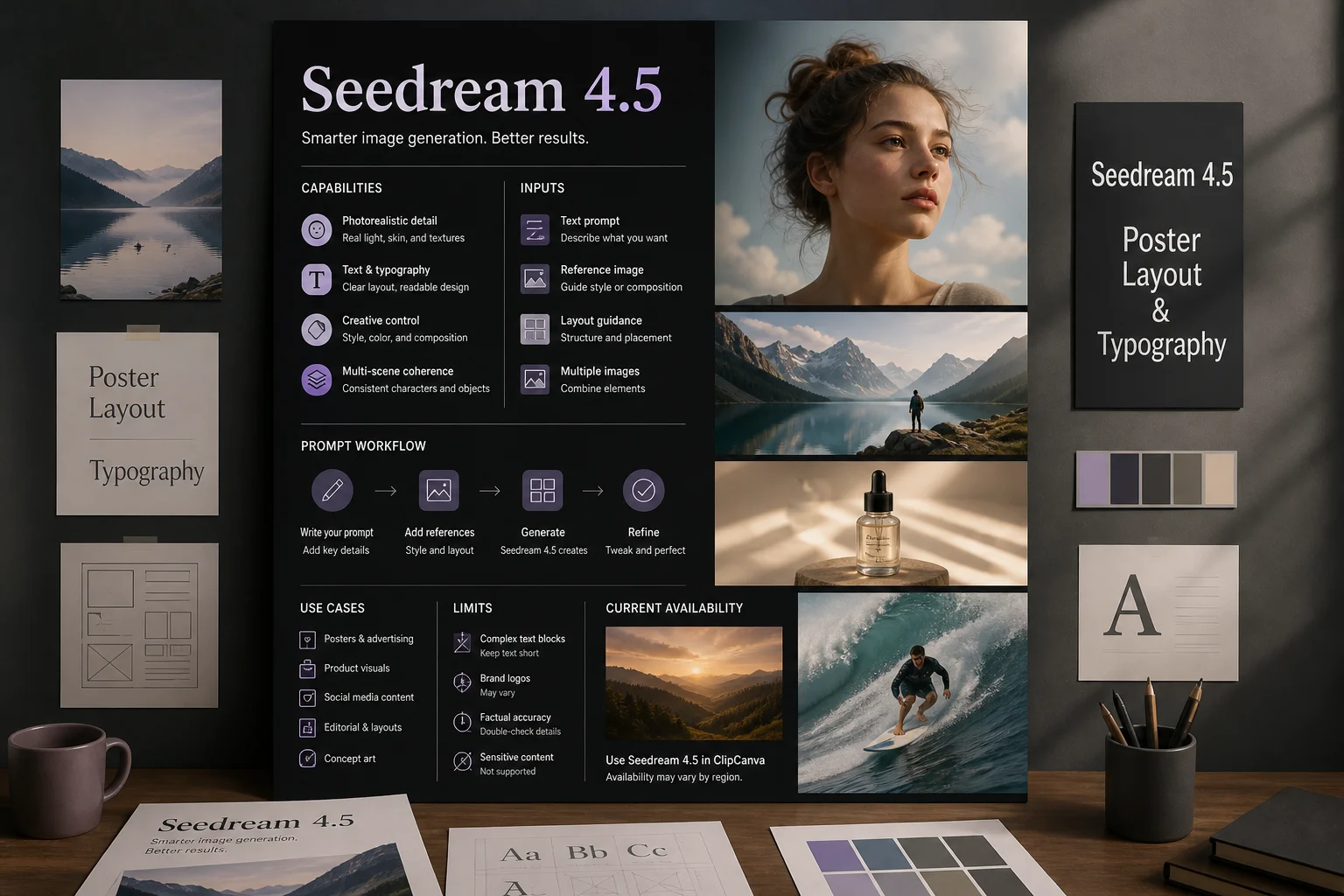
Review poster structure, text placement, and typographic clarity when planning campaign or editorial image concepts.
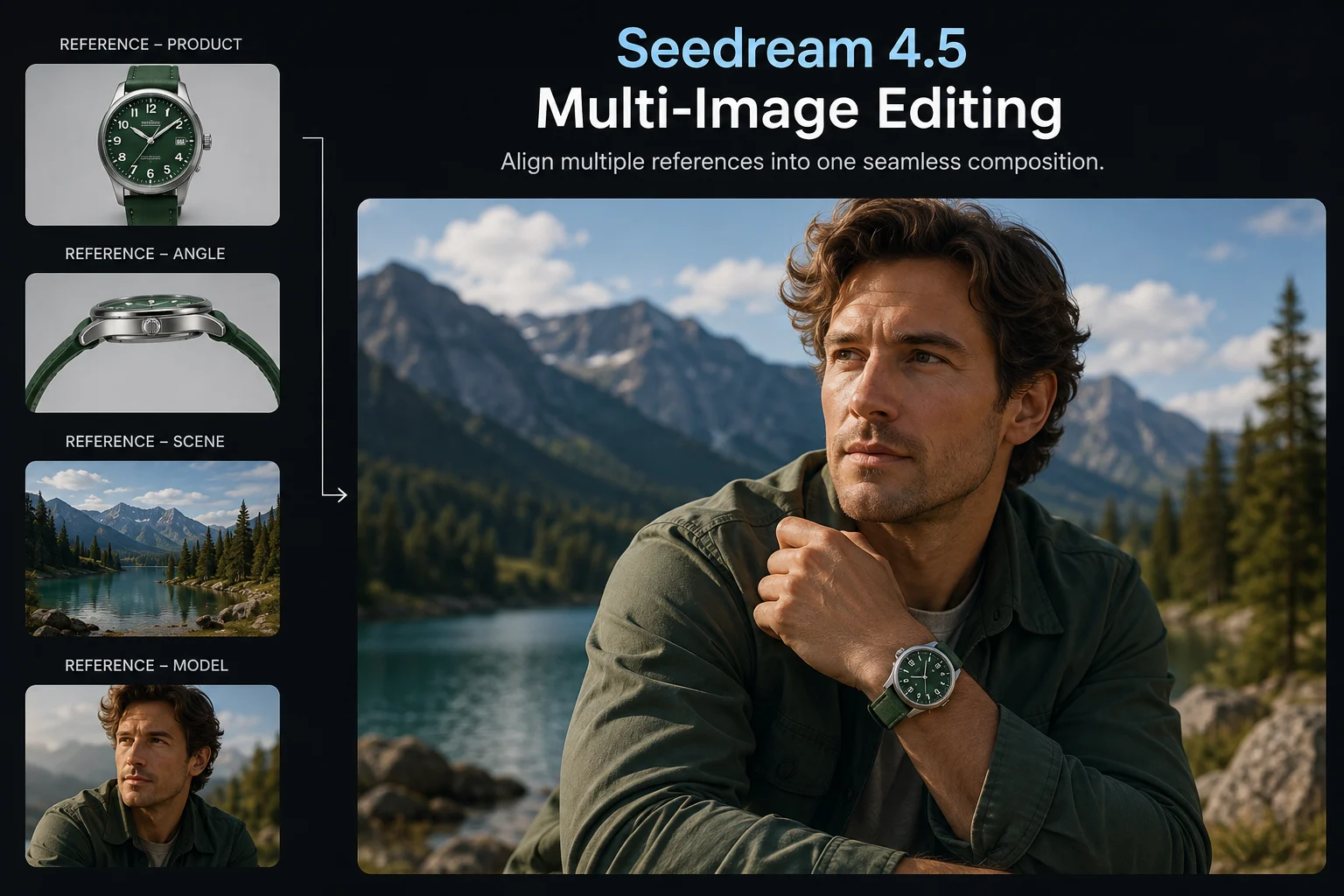
Evaluate how multi-image editing could align multiple references, scenes, or product angles within one planned composition.
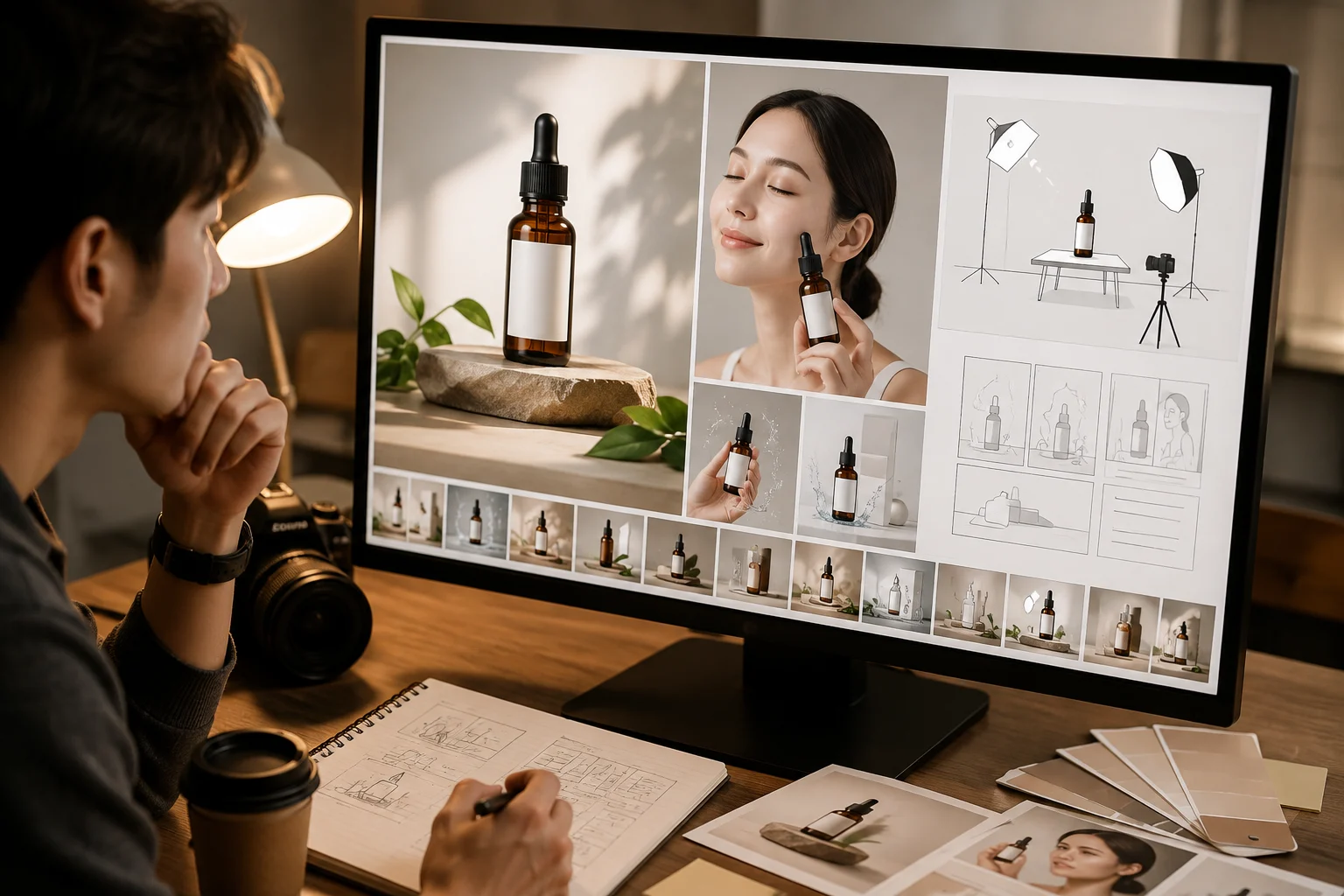
Plan product visual composition with clear subject hierarchy, setting, lighting, and brand checks before any publication review.
Use input planning to separate the text prompt and reference image needs from controls that are not exposed in ClipCanva.
The documented input modes are a text prompt and a reference image, but ClipCanva does not connect this exact model today.
No dedicated controls are exposed for this exact model in ClipCanva because the model is not currently connected here.
Expected outputs include generated images and reference-guided image edits that still require human review before use.
How to use Seedream 4.5 starts with task definition, prompt planning, availability checks, and careful output review.
State the image purpose, audience, subject, setting, composition, and destination format before writing the prompt.
Treat how to prompt Seedream 4.5 as a planning question, then specify must-have details and reference needs clearly.
To write stronger prompts, separate core requirements, style preferences, reference guidance, and review criteria for Seedream 4.5.
Check availability first because the exact Seedream 4.5 model is not connected in ClipCanva at this time.
These use cases help teams compare model fit against real deliverables, audience needs, formats, and review standards.
Plan product visuals around the item, setting, composition, brand constraints, and checks for product accuracy.
Explore poster concepts with strong layout direction, typography needs, campaign context, and brand review steps.
Evaluate composites that combine multiple product angles, references, or scenes while preserving visual consistency.
Plan localized campaign graphics with market-specific text needs, imagery, layout, and approval requirements.
Treat every output as a draft until a review confirms prompt fit, detail quality, brand accuracy, and format readiness.
Confirm that the prompt and reference fit the requested subject, composition, audience, and destination context.
Inspect typography, small objects, edges, hands, labels, and other fine details that can affect production quality.
Check product shape, packaging, claims, logos, colors, and brand rules against approved source material.
Verify dimensions, crop, safe areas, and export requirements for the channel where the image will appear.
Availability is verified separately from model facts, so do not assume ClipCanva execution, access, or output suitability.
Seedream 4.5 is not connected in ClipCanva, so this page provides model guidance without a substitute generator.
Results can vary between runs and may differ in fine detail, composition, text handling, or reference adherence.
Publishing decisions remain your responsibility because generated details, text, products, and brand elements need review.
Facts verified
Answers clarify exact model identity, prompt planning, availability, review needs, and query modifiers such as access terms.
Compare related image models by supported inputs, exposed controls, output behavior, review needs, and verified availability.
Explore Seedream 4.5 with clear goals, verified access expectations, and a review checklist before committing production work.