AI Image Cleanup

Upload an image for a guided cleanup review. Advanced controls appear only after the file and scope are clear.

Pro WorkflowImage CleanupReview StatePermission Check

Pro mode

Upload for review

Advanced controls appear after upload

Advanced after upload

The first view stays simple. Detailed controls appear only after the file type and rights confirmation are clear.

Small object distractions
Background marks or overlays
Prompt-guided cleanup
Review state for ambiguous marks

Image Cleanup Examples

Use bounded examples to judge which images fit a cleanup review.

Object cleanup

Object cleanup

Product cleanup

Product cleanup

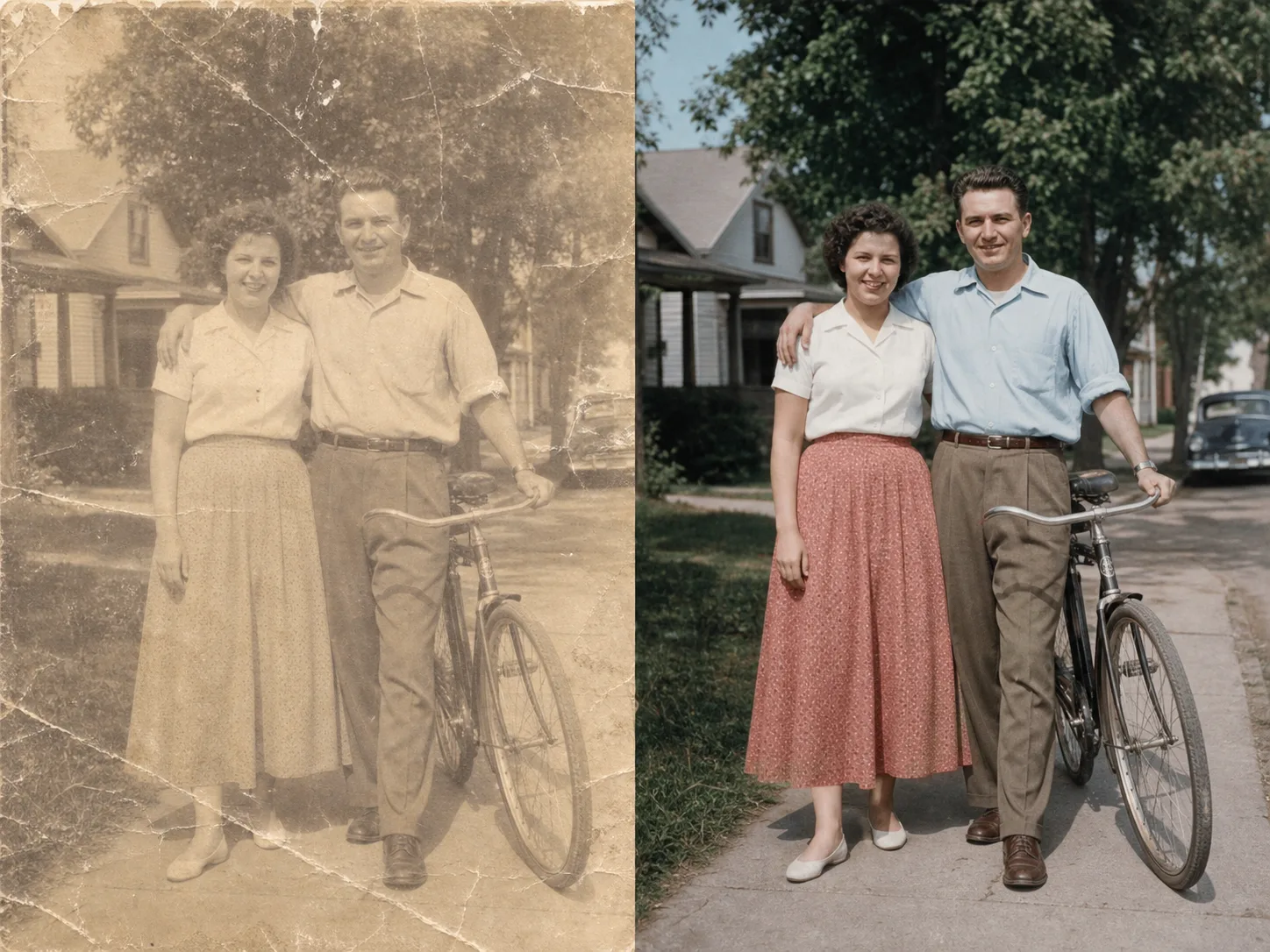
Photo artifact cleanup

Photo artifact cleanup

How guided image cleanup works

The page keeps the first step simple and reveals advanced controls only when they are needed.

01

Upload one image for review

Start with a file you own or have permission to edit. The tool checks support before showing detailed controls.

02

Confirm the cleanup scope

Use the guided flow for small distractions, marks, background artifacts, or visible issues that should be reviewed first.

03

Use Pro controls when needed

Advanced cleanup controls stay hidden until the file and editing permission are clear.

04

Review before export

Ambiguous edits should be checked before downloading or using the cleaned image in production assets.

Designed for bounded cleanup

Upload one image for review

Start with a file you own or have permission to edit. The tool checks support before showing detailed controls.

Confirm the cleanup scope

Use the guided flow for small distractions, marks, background artifacts, or visible issues that should be reviewed first.

Use Pro controls when needed

Advanced cleanup controls stay hidden until the file and editing permission are clear.

Review before export

Ambiguous edits should be checked before downloading or using the cleaned image in production assets.

Related tools

Use simpler tools first when background removal or enhancement is enough.

Choose Your Plan

Free images include a watermark. Upgrade for clean outputs, faster generation, and commercial use.

Starter Pack

$9

A one-time credit pack for trying image, music, and short video generation.

  • 600 credits
  • ≈ 100 GPT Image 2 images at 1K Low (6 credits each)
  • Up to 7 short videos
  • Credits valid for 30 days
  • No watermarks

Creator

$19/mo

Monthly plan · 1,500 credits renew each month

  • 1,500 credits per month
  • ≈ 250 GPT Image 2 images at 1K Low (6 credits each)
  • Up to 18 short videos/month
  • Works with ClipCanva Pro and other credit models
  • Priority queue
  • Community support
  • No ads
  • No watermarks
30 founding memberships

GPT Image 2 Unlimited

$29/mo

Use code FOUNDING6 at Stripe Checkout: $19/month for your first 6 months, then $29/month.

  • Unlimited GPT Image 2 generations
  • Text-to-image and image-to-image
  • No credits required for GPT Image 2
  • Other models use credits
  • No watermarks
Best value

Pro

$39/mo

Monthly plan · 4,000 credits renew each month

  • 4,000 credits per month
  • ≈ 666 GPT Image 2 images at 1K Low (6 credits each)
  • Up to 50 short videos/month
  • Works with ClipCanva Pro and other credit models
  • Highest priority queue
  • Unlock ClipCanva Pro
  • No ads
  • No watermarks
  • Advanced Refine

Studio

$109/mo

Monthly plan · 12,000 credits renew each month

  • 12,000 credits per month
  • ≈ 2000 GPT Image 2 images at 1K Low (6 credits each)
  • Up to 150 short videos/month
  • Works with ClipCanva Pro and other credit models
  • Highest priority queue
  • Early access to new features
  • Priority support

Secure checkout · Subscriptions renew automatically · See refund eligibility

Team

For agencies, production teams, and custom volume needs.

Contact us

Image Cleanup FAQ

Common questions before using Pro cleanup.

What is Image Cleanup for?
It is for guided cleanup of images you own, such as small distractions, background marks, or visible artifacts.
Why is this a Pro workflow?
Cleanup can require more judgment than simple background removal, so advanced controls and review states stay in Pro.
Can it remove every mark from an image?
No. Some edits are unsupported or ambiguous. The page is designed to make those limits clear before processing.

Review an image for cleanup

Use ClipCanva Pro when a simple cutout or enhancement is not enough.