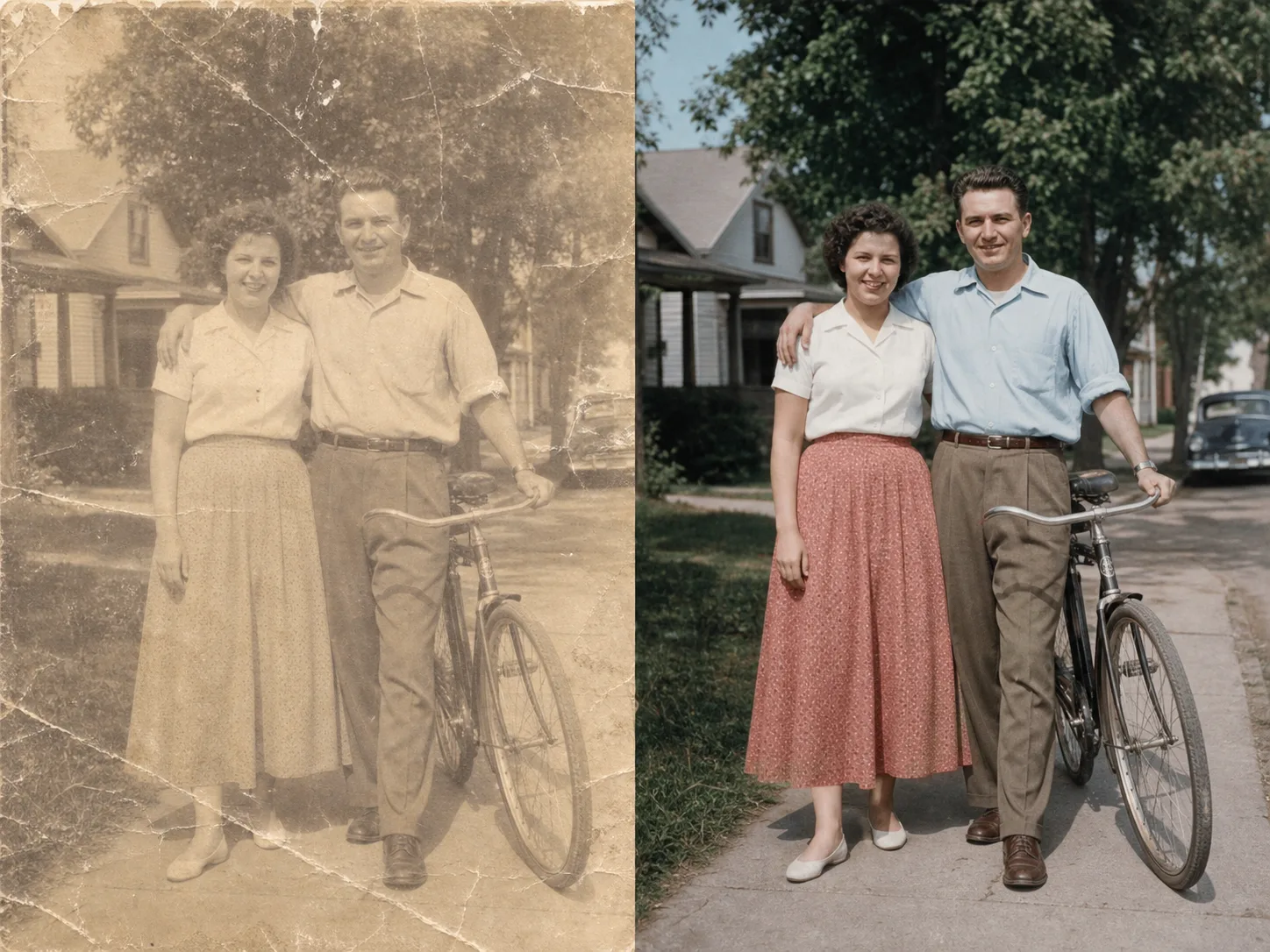
AI Image Cleanup

Upload an image for a guided cleanup review. Advanced controls appear only after the file and scope are clear.

Pro WorkflowImage CleanupReview StatePermission Check

Pro mode

Upload for review

Advanced controls appear after upload

Advanced after upload

The first view stays simple. Detailed controls appear only after the file type and rights confirmation are clear.

Small object distractions
Background marks or overlays
Prompt-guided cleanup
Review state for ambiguous marks

Image Cleanup Examples

Use bounded examples to judge which images fit a cleanup review.

How guided image cleanup works

The page keeps the first step simple and reveals advanced controls only when they are needed.

01

Upload one image for review

Start with a file you own or have permission to edit. The tool checks support before showing detailed controls.

02

Confirm the cleanup scope

Use the guided flow for small distractions, marks, background artifacts, or visible issues that should be reviewed first.

03

Use Pro controls when needed

Advanced cleanup controls stay hidden until the file and editing permission are clear.

04

Review before export

Ambiguous edits should be checked before downloading or using the cleaned image in production assets.

Designed for bounded cleanup

Guided Cleanup

Keep the first view simple while reserving advanced cleanup controls for Pro workflows.

Permission First

The flow asks users to confirm they can edit the file before starting cleanup.

Review State

Unsupported or ambiguous cleanup requests can move into review instead of pretending every file is safe to process.

Pro-only Controls

Complex controls stay behind Pro so the default tool surface remains lightweight.

探索相關工具

Use simpler tools first when background removal or enhancement is enough.

選擇你的方案

免費圖片包含浮水印。升級後可獲得乾淨輸出、更快生成和商業使用能力。

入門包

$9

一次性點數包,適合先試用圖片、音樂和短影片生成。

  • 600 點數
  • 最多約 100 張圖片
  • 最多約 7 支短影片
  • 點數有效期限 30 天
  • 無水印

創作者

$19/mo

月付方案 · 每月重置 1,500 點數

  • 每月 1,500 點數
  • 每月最多約 250 張圖片
  • 每月最多約 18 支短影片
  • 可用於 ClipCanva Pro 和其他點數模型
  • 優先佇列
  • 社群支援
  • 無廣告
  • 無水印

專業版

$39/mo

適合需要無水印與更快生成的創作者

  • 每月 4,000 點數
  • 每月最多約 660 張圖片
  • 每月最多約 50 支短影片
  • 可用於 ClipCanva Pro 和其他點數模型
  • 最高優先佇列
  • 解鎖 ClipCanva Pro
  • 無廣告
  • 無水印
  • 進階優化功能

工作室

$99/mo

月付方案 · 每月重置 12,000 點數

  • 每月 12,000 點數
  • 每月最多約 2,000 張圖片
  • 每月最多約 150 支短影片
  • 可用於 ClipCanva Pro 和其他點數模型
  • 最高優先佇列
  • 完整隱私保護
  • 搶先體驗新功能
  • 優先支援

月付方案會在每個帳單週期重置點數。年付方案會一次發放 12 個月點數,並節省 17%。用量估算依支援的最低點數圖片與影片模型計算;進階模型、更高解析度、更長影片、參考素材生成和進階工具會使用更多點數。

團隊

適合代理商、製作團隊和客製用量需求。

聯絡我們

Image Cleanup FAQ

Common questions before using Pro cleanup.

What is Image Cleanup for?
It is for guided cleanup of images you own, such as small distractions, background marks, or visible artifacts.
Why is this a Pro workflow?
Cleanup can require more judgment than simple background removal, so advanced controls and review states stay in Pro.
Can it remove every mark from an image?
No. Some edits are unsupported or ambiguous. The page is designed to make those limits clear before processing.

Review an image for cleanup

Use ClipCanva Pro when a simple cutout or enhancement is not enough.