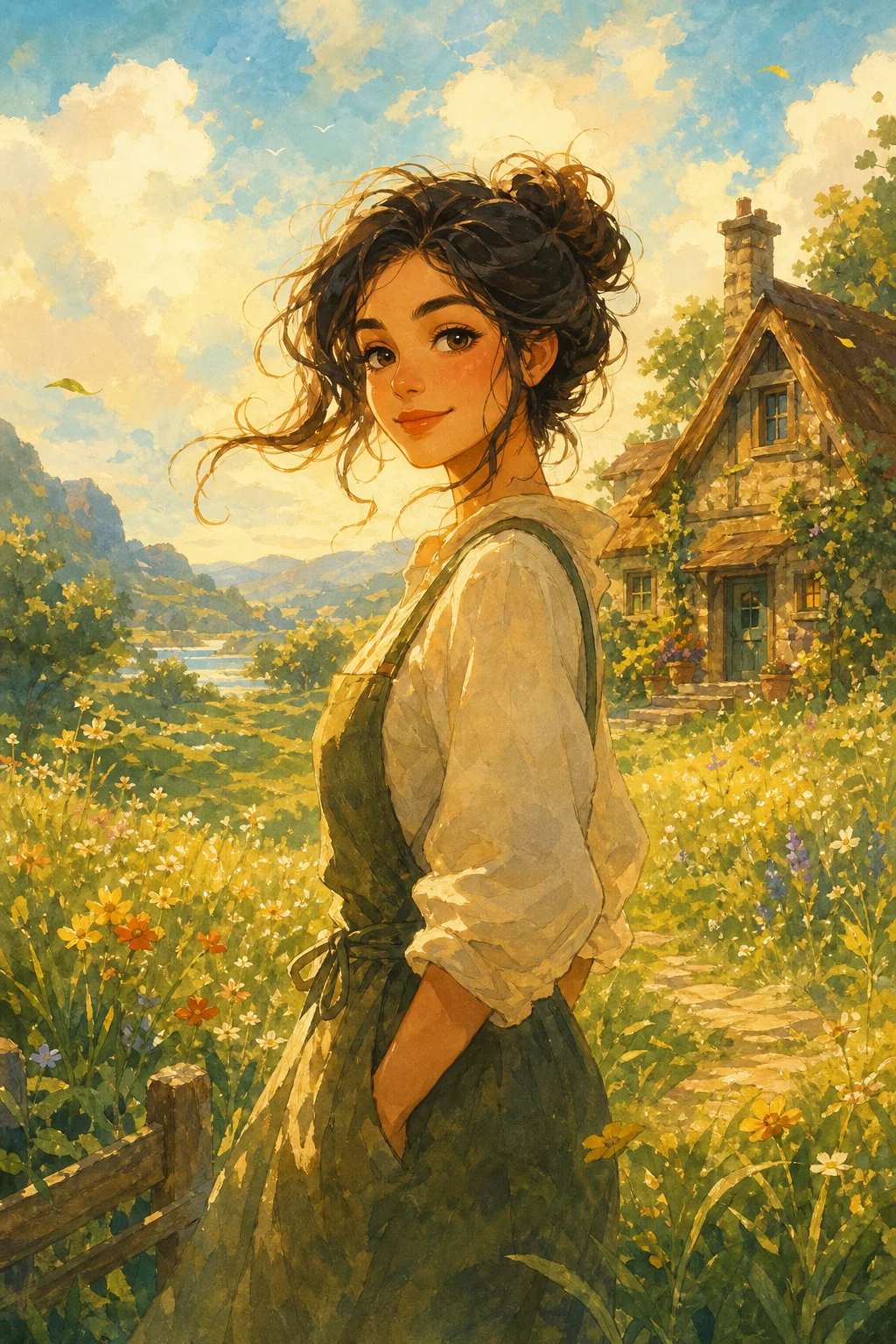
Ghibli AI Generator for warm storybook illustrations

Ghibli AI Generator for warm storybook illustrations

Upload a clear photo and turn it into a warm anime-inspired illustration with soft colors, painterly scenery, delicate linework, and a storybook mood.

Ghibli-style AI illustration hero image
0 / 2000
Template prompt

Ghibli AI Generator for warm storybook illustrations

Apply the warm storybook anime illustration effect to the uploaded image. Preserve the main subject identity or object shape, pose/layout, emotional tone, and key colors. Rebuild the image as a soft painterly anime-inspired scene with gentle color palette, hand-painted background, natural light, whimsical atmosphere, delicate linework, and cinematic storybook composition. Keep the uploaded subject recognizable and avoid turning it into an unrelated character.

Ghibli-style AI illustration hero image

What is the Ghibli AI Generator?

The Ghibli AI Generator is a photo-to-illustration template that reimagines your uploaded image with a gentle anime-inspired look. It focuses on soft painterly backgrounds, warm natural light, whimsical atmosphere, and readable subject details, so the result feels like a cozy storybook scene while still connecting back to your original photo.

How your photo is transformed

This template changes the surface style and atmosphere of your image while aiming to keep the main subject readable.

What changes

  • Rebuilds the uploaded photo as a warm anime-inspired illustration with a soft color palette and painterly background.
  • Adds gentle natural light, delicate linework, whimsical atmosphere, and a cinematic storybook composition.
  • Turns ordinary portraits, pets, objects, or scenes into a cozy illustrated visual direction for posts, mockups, references, or drafts.

What stays recognizable

  • The main subject identity or object shape, pose, layout, emotional tone, and key colors.
  • The recognizable connection between the uploaded subject and the final illustration.
  • Important colors, silhouettes, facial cues, clothing details, and composition when they are clear in the source.

How it works

Create the effect in a simple upload, apply, and review flow.

1

Upload a clear source image

Select a sharp image where the main subject, pose, key colors, and important details are easy to see.

2

Apply the storybook style

Choose the Ghibli AI Generator effect and add a prompt that describes the atmosphere, background, lighting, and details you want preserved.

3

Review and refine

Compare the result with the source, check small details, and adjust with a clearer photo or more specific prompt if needed.

Ghibli-inspired result ideas

Explore different source subjects and illustrated moods while keeping the same warm storybook direction.

Ghibli-style AI illustration 1

Soft illustrated portrait

A cozy portrait treatment with soft light, gentle colors, and a hand-painted background that keeps the person’s pose and expression readable.

Ghibli-style AI illustration 2

Painterly landscape scene

A scenic storybook look for outdoor or travel photos, with painterly depth, warm atmosphere, and a whimsical sense of place.

Ghibli-style AI illustration 3

Whimsical subject study

A charming subject-focused result for pets, objects, or characters, keeping the silhouette clear while adding delicate anime-inspired detail.

Ways to use this template

Use the Ghibli AI Generator when you want a soft, illustrated direction quickly from a real photo or existing visual reference.

Personal and creative projects

Create a focused preview for a personal illustration idea, profile concept, pet portrait, travel memory, or creative mood board.

Concept exploration

Compare the Ghibli-inspired visual direction before refining, sharing, or presenting the result to collaborators or clients.

Drafts and references

Build warm anime-inspired reference images for social posts, mockups, presentation drafts, or visual storytelling experiments.

How to get a better result

A strong source image and a focused prompt help the effect stay close to the subject while building the gentle illustrated mood.

Source image checklist

  • Use a sharp source image with the main subject clearly visible.
  • Avoid heavy blur, blocked details, extreme crops, or confusing overlaps.
  • Choose a source whose pose and framing support the intended Ghibli AI Generator result.

Prompt tips

Describe the subject, pose, setting, light, and emotional tone. Add preservation notes such as keeping the same silhouette, clothing colors, object shape, facial expression, or composition. For example: “Create a warm Ghibli-inspired storybook illustration of this subject, with soft painterly background, natural light, delicate linework, gentle color palette, and the same pose and key details.”

What to review before using the image

Generated details can vary, so review the image before you share, refine, or present it.

Check subject recognition

Compare the face, object shape, silhouette, pose, clothing, and other defining details with the source image.

Review the visual style

Make sure the warm palette, painterly background, soft light, and storybook atmosphere feel consistent across the whole image.

Inspect fine details

Look closely at faces, hands, text, edges, small objects, and background transitions, since these areas may need another attempt or a clearer source.

Ghibli AI Generator FAQ

Answers to common questions about creating a Ghibli-inspired illustration from your uploaded image.

What is the Ghibli AI Generator?
It is a template for transforming a photo into a warm anime-inspired illustration with soft palettes, painterly backgrounds, delicate linework, and a storybook atmosphere while keeping the main subject recognizable.
Is the Ghibli AI Generator free?
Availability can vary by product experience or account status. Open the template page to see the current access options before you start creating.
How do I use the Ghibli AI Generator?
Upload a clear image, choose the Ghibli AI Generator effect, and review the result. For stronger results, use a prompt that mentions the subject, mood, background, lighting, and details you want to preserve.
What image formats does the Ghibli AI Generator support?
Use common image formats supported by the upload tool, such as JPG, PNG, or WebP when available. For best results, choose a sharp image with the subject clearly visible.
Can I use anime-inspired illustration commercially?
Usage depends on the rights connected to your source image, the platform terms, and the context where you plan to use the result. Review those requirements before using the image in a commercial setting.
What changes does the Ghibli AI Generator make?
It adds warm light, gentle colors, painterly scenery, whimsical atmosphere, and delicate linework. It should preserve the subject identity, object shape, pose, layout, emotional tone, and key colors as much as possible.
Which source image works best?
A sharp, well-lit photo works best. The main subject should be visible, not heavily blurred, blocked, extremely cropped, or surrounded by confusing overlaps.
How can I keep the subject recognizable?
Start with a clear image and include preservation notes in your prompt, such as keeping the same face, pose, silhouette, clothing colors, object shape, or composition.

Create your storybook-style image

Turn a clear source image into a warm Ghibli-inspired illustration with soft color, painterly atmosphere, and a recognizable subject.