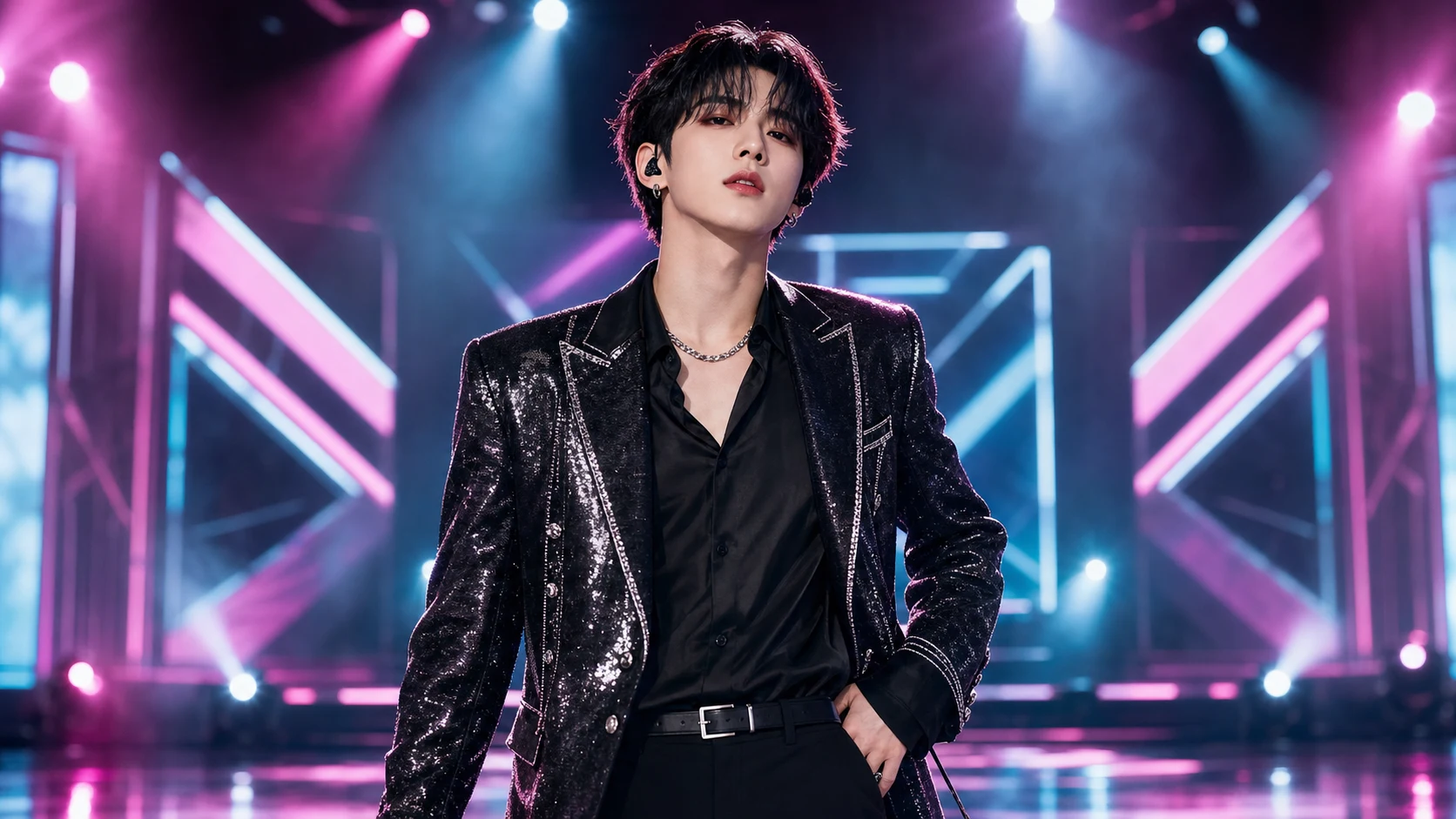
K Pop Idol Photo Generator

K Pop Idol Photo Generator

Turn a clear portrait into a polished idol-style concept image with glossy hair, refined makeup, fashionable styling, expressive posing, and colorful stage-ready lighting while keeping the person recognizable.

K Pop Idol Photo Generator example result
0 / 2000
Template prompt

K Pop Idol Photo Generator

Apply the K-Pop Idol Photo effect to the uploaded portrait. Preserve the person identity, face shape, hairstyle direction, expression, pose, and key facial traits. Recreate the image as a polished K-pop idol promotional photo with refined makeup, glossy hair styling, fashionable stage or studio outfit cues, clean skin retouching, colorful editorial lighting, and album-poster quality composition. Keep the person recognizable and avoid changing ethnicity or core facial structure.

K Pop Idol Photo Generator example result

What is the K Pop Idol Photo Generator?

The K Pop Idol Photo Generator transforms a portrait into an idol-inspired promotional image. It adds camera-ready lighting, glossy beauty styling, clean retouching, and fashion-forward stage or studio cues while preserving the subject’s face shape, expression, pose, and key traits.

Portrait to K Pop Idol concept

This template focuses on giving a portrait the visual language of a polished K Pop Idol concept shoot while maintaining the core identity and structure of the original subject.

What changes

  • Transforms a portrait into an idol-style concept image with camera-ready lighting, fashionable styling, expressive pose, and recognizable face details.
  • Adds stage lighting, glossy styling, clean makeup detail, fashionable pose, and camera-ready color.
  • Recreates the image as a polished K-pop idol promotional photo with refined makeup, glossy hair styling, fashionable stage or studio outfit cues, clean skin retouching, colorful editorial lighting, and album-poster quality composition.
  • Applies the K-Pop Idol Photo effect to the uploaded portrait.

What stays recognizable

  • Preserves the person identity, face shape, hairstyle direction, expression, pose, and key facial traits.
  • Keeps the person recognizable and avoids changing ethnicity or core facial structure.
  • Keeps the main subject recognizable from the source image.
  • Maintains coherent defining colors, pose, silhouette, and important subject details.

How the K Pop Idol Photo Generator workflow works

Follow a simple process to turn a portrait into a polished idol-style image while keeping the most important identity details intact.

1

Upload a clear portrait

Choose a sharp image where the face, hairstyle, pose, silhouette, and defining details are easy to see.

2

Set the idol concept

Describe the K Pop Idol direction you want, including glossy hair, refined makeup, fashionable outfit cues, colorful lighting, and a promotional composition.

3

Review and refine

Check whether the subject still looks recognizable and whether the lighting, styling, hands, edges, and background look coherent.

K Pop Idol Photo style examples

Explore different K Pop Idol visual directions by adjusting styling, lighting, pose energy, and background while keeping the subject recognizable.

K Pop Idol Photo Generator example result

Polished idol promo look

A glossy idol portrait with colorful editorial lighting, refined makeup, and a promotional-photo finish.

K Pop Idol Photo Generator Example 2

Stage-ready concept photo

A camera-ready Pop Idol concept with fashionable styling, clean retouching, and a stage or studio atmosphere.

Ways to use this template

Use the K Pop Idol Photo Generator when you want a stylized concept image for exploration, comparison, or creative presentation.

Personal concept preview

Create a focused K Pop Idol Photo Generator preview for a personal edit, mood board, fan-inspired concept, or creative project.

Style direction comparison

Compare the visual direction before refining the prompt, choosing a final look, sharing the image, or presenting the concept.

How to get a stronger K Pop Idol result

A strong result starts with a source photo that clearly shows the subject and a prompt that describes both the idol styling and the details that must stay recognizable.

Best source image checks

  • Use a sharp source image with the main subject clearly visible.
  • Avoid heavy blur, blocked details, extreme crops, or confusing overlaps.
  • Choose a source whose pose and framing support the intended K Pop Idol Photo Generator result.

Prompt guidance

Ask for a polished K-pop idol promotional photo with refined makeup, glossy hair, fashionable stage or studio outfit cues, clean skin retouching, colorful editorial lighting, and album-poster quality composition. Include that the person’s identity, face shape, hairstyle direction, expression, pose, ethnicity, and core facial structure should be preserved.

Review before you use the image

Generated details can vary, so review the finished image before sharing, presenting, or refining it further.

Check recognizability

Compare the face shape, expression, hairstyle direction, pose, silhouette, and key facial traits with the original portrait.

Review the idol styling

Make sure the refined makeup, glossy styling, colorful lighting, and Pop Idol promotional look feel consistent across the full image.

Look for artifacts

Inspect faces, hands, edges, small accessories, background transitions, and any visible text for distortions or distracting artifacts.

K Pop Idol Photo Generator FAQ

Common questions about preparing a portrait, guiding the look, and reviewing the finished K Pop Idol image.

What is K Pop Idol Photo Generator?
It is a portrait transformation template for creating an idol-style concept image with polished makeup, glossy hair styling, fashionable outfit cues, editorial lighting, and an album-poster feel.
Is K Pop Idol Photo Generator free?
Availability and access can vary by product experience. Check the current page controls or account area for the most accurate usage details before you begin.
How do I use K Pop Idol Photo Generator?
Start with a clear portrait, upload it, and use the K Pop Idol Photo Generator prompt to describe the idol-inspired styling you want. Review the output for likeness, lighting, facial detail, hands, and background consistency.
What image formats does K Pop Idol Photo Generator support?
Use common image files supported by the upload tool, such as JPG, PNG, or WebP when available. A sharp, well-lit portrait usually gives the K Pop Idol Photo Generator more useful detail to work from.
Can I use K Pop Idol Photo Generator results commercially?
Usage rights can depend on the platform, source image, and final context. Review the applicable terms and make sure you have permission for the portrait and any intended use.
What K Pop Idol Photo Generator changes should I expect?
It can add colorful editorial lighting, refined makeup, glossy hair, clean skin retouching, stylish wardrobe cues, and a more promotional idol-photo composition.
Which source image works best?
Choose a sharp portrait where the face, hair direction, pose, silhouette, and important details are visible. Avoid heavy blur, blocked facial areas, extreme crops, or crowded overlaps.
How can I keep the subject recognizable?
Use a clear source image and keep the prompt focused on preserving identity, face shape, hairstyle direction, expression, pose, ethnicity, and core facial structure.

Create your idol-style portrait

Use a clear portrait to create a polished Pop Idol concept image with expressive styling, vivid lighting, and recognizable facial detail.