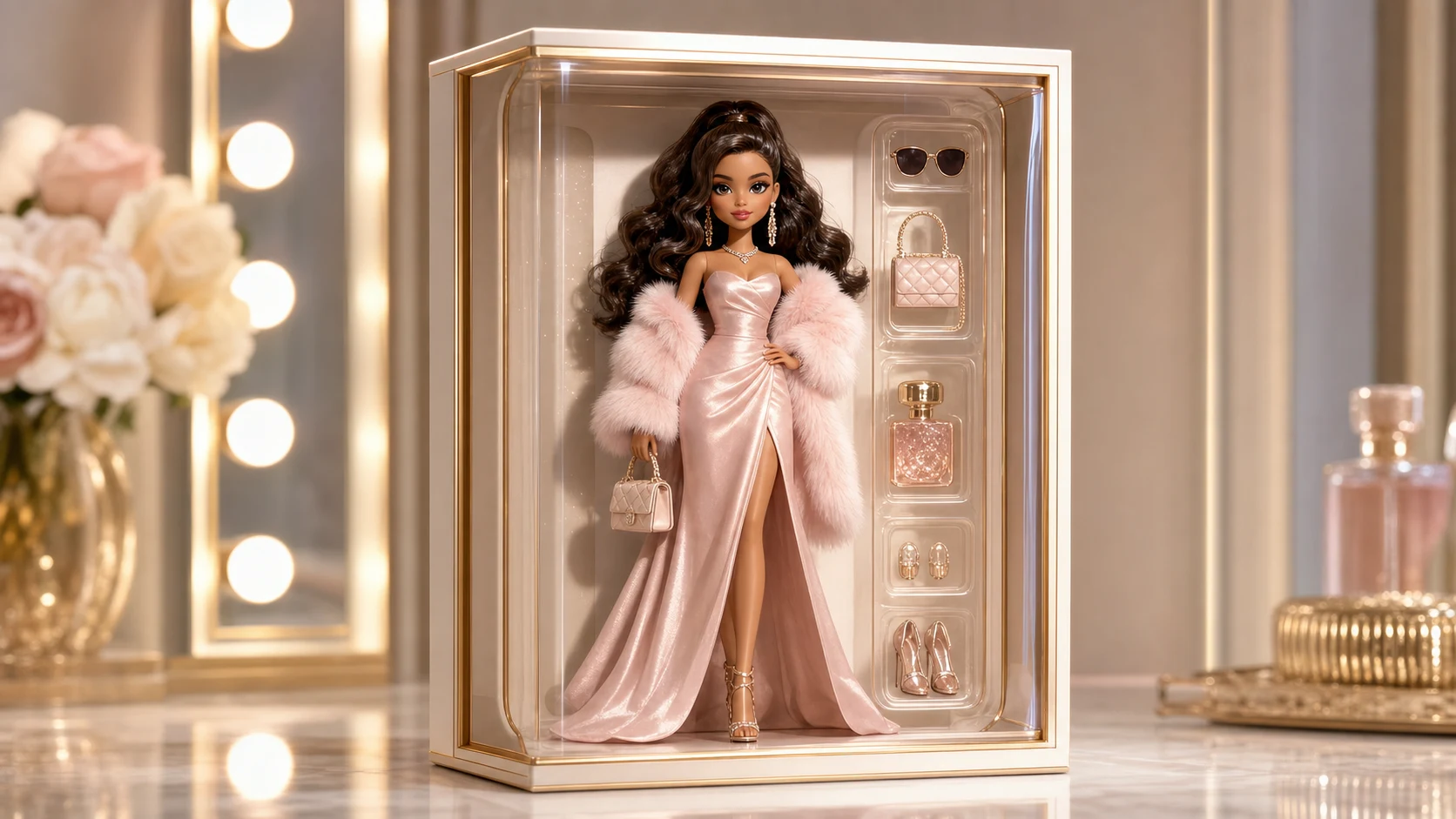
3d Glam Doll Generator

3d Glam Doll Generator

Turn a clear portrait into a glossy 3D Glam Doll look with polished vinyl-like skin, refined hair, elegant makeup, and studio product lighting while keeping the subject recognizable.

3d Glam Doll Generator example result
0 / 2000
Template prompt

3d Glam Doll Generator

Apply the 3D Glam Doll effect to the uploaded portrait. Preserve the person's recognizable identity, hairstyle, pose, outfit color cues, and key facial features. Rebuild the subject as a polished glamorous 3D fashion doll with smooth vinyl-like skin, elegant makeup, refined hair, glossy eyes, high-end doll proportions, studio product lighting, and a clean collectible-doll composition. Keep the result stylish and premium, not a generic portrait.

3d Glam Doll Generator example result

What is the 3d Glam Doll Generator?

The 3d Glam Doll Generator transforms a portrait into a polished glamorous fashion doll concept. It emphasizes glossy eyes, smooth vinyl-like surfaces, elegant makeup, refined hair, premium doll proportions, and a clean collectible-style composition while preserving the person’s identity, pose, hairstyle, outfit color cues, and key facial features.

Portrait to glossy 3D Glam Doll transformation

This template turns a portrait into a polished 3D Glam Doll concept while retaining the source image’s most important identity and composition cues.

What changes

  • Transforms a portrait into a glossy glam doll concept while keeping the face, hairstyle, outfit cues, and pose tied to the original photo.
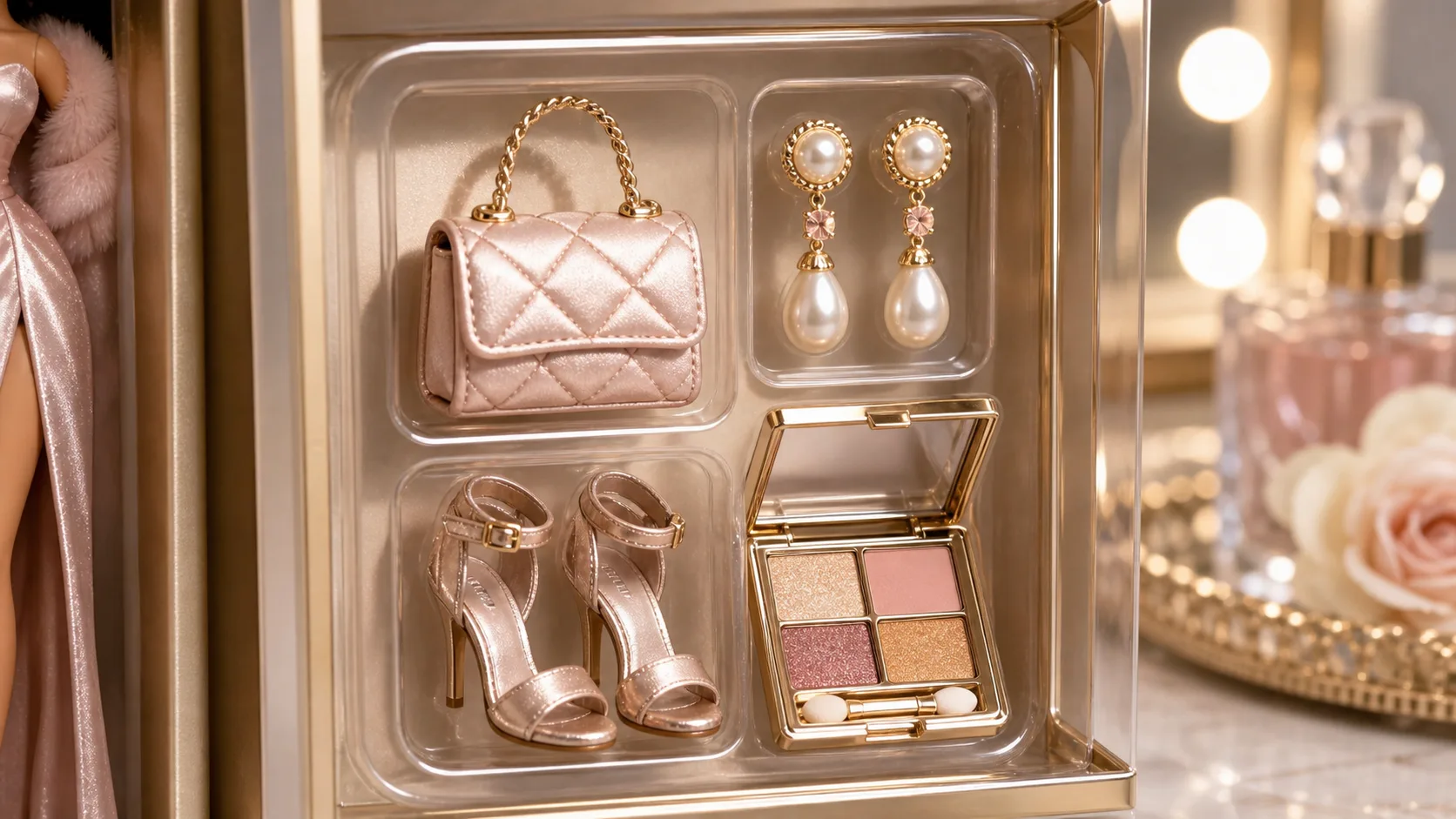
  • Adds glossy eyes, refined hair, elegant makeup, vinyl-like surfaces, and studio product lighting.
  • Rebuilds the subject as a polished glamorous 3D fashion doll with smooth vinyl-like skin, high-end doll proportions, and a clean collectible-doll composition.
  • Applies a stylish 3D Glam Doll effect that feels premium rather than like a generic portrait filter.
What stays recognizable

  • Preserves the person's recognizable identity, hairstyle, pose, outfit color cues, and key facial features.
  • Keeps the result stylish and premium, not a generic portrait.
  • Maintains the main subject as recognizable from the source image.
  • Keeps defining colors, pose, silhouette, and important subject details coherent.

How it works

Follow a simple review-focused workflow to keep the result stylish, coherent, and connected to the source portrait.

1

Upload a clear portrait

Select a sharp portrait where the face, hairstyle, outfit colors, pose, and silhouette are easy to read.

2

Create the Glam Doll version

Apply the 3D Glam Doll look to create a polished doll-style version with glossy surfaces, elegant makeup, and studio product lighting.

3

Review and refine

Compare the output with the original portrait and check identity, pose, hands, edges, small details, and the overall doll treatment before using the image.

3D Glam Doll style examples

Explore the same glossy 3D Glam Doll direction with different portrait sources, poses, and styling cues.

3d Glam Doll Generator example result

Glossy studio Glam Doll

A polished glam doll transformation with glossy eyes, refined makeup, smooth vinyl-like skin, and a clean studio-style finish.

3d Glam Doll Generator Example 2

Premium fashion Doll portrait

A stylish 3D Doll portrait direction that keeps the subject recognizable while emphasizing elegant hair, premium lighting, and collectible-doll proportions.

When to use this 3d Glam Doll Generator

Use this template when you want a focused doll-inspired portrait direction that keeps the subject connected to the original photo.

Personal and creative previews

Create a polished 3D Glam Doll preview for a personal profile concept, character mood board, creative edit, or visual direction test.

Style comparison and refinement

Compare the glossy doll treatment before refining, presenting, or sharing the result as part of a broader visual idea.

How to get a better 3D Glam Doll result

A strong source image helps the doll transformation feel intentional instead of generic. The clearer the identity, pose, outfit colors, and hairstyle are in the photo, the easier it is to keep them coherent in the final 3D Glam Doll result.

Source image checklist

  • Use a sharp source image with the main subject clearly visible.
  • Avoid heavy blur, blocked details, extreme crops, or confusing overlaps.
  • Choose a source whose pose and framing support the intended 3d Glam Doll Generator result.

Prompt guidance

Describe the result as a polished glamorous 3D fashion doll with smooth vinyl-like skin, glossy eyes, elegant makeup, refined hair, high-end doll proportions, studio product lighting, and a clean collectible-doll composition. Mention that the person’s recognizable identity, hairstyle, pose, outfit color cues, and key facial features should stay close to the source.

What to review before using the result

Generated details can vary, so review the result before using it in a project or sharing it. A clearer source image or more specific prompt can help if the first draft does not capture the intended look.

Check identity and structure

Compare the face, hairstyle, pose, silhouette, and outfit color cues with the source image so the Glam Doll version still feels like the same person.

Review the 3D Glam Doll styling

Look for a consistent glossy doll finish, refined hair, elegant makeup, vinyl-like skin, and studio lighting across the subject and scene.

Inspect fine details

Inspect faces, hands, edges, small accessories, background transitions, and any visible text for distortions or unexpected artifacts.

3D Glam Doll Generator FAQ

Common questions about creating a 3D Glam Doll style from a portrait.

What is 3d Glam Doll Generator?
The 3d Glam Doll Generator is a portrait transformation template that restyles a person as a glossy 3D Glam Doll with refined hair, elegant makeup, doll-like proportions, and studio product lighting while keeping the subject recognizable.
Is 3d Glam Doll Generator free?
Availability and access can depend on the current ClipCanva product experience. Check the template page controls for the options available to you.
How do I use 3d Glam Doll Generator?
Start with a clear portrait where the face, hair, outfit, and pose are visible. Apply the template, then review the result for identity, pose, facial details, hands, edges, and background transitions.
What image formats does 3d Glam Doll Generator support?
Use common image formats supported by the upload interface. For best results, choose a sharp portrait with enough resolution to show the subject’s defining details clearly.
Can I use 3d Glam Doll Generator results commercially?
Usage rights can depend on the source image, generated result, and the terms that apply to your account or project. Review the relevant terms before using results in commercial work.
What 3d Glam Doll Generator changes should I expect?
It adds a polished 3D Glam Doll treatment: glossy eyes, elegant makeup, refined hair, smooth vinyl-like skin, high-end doll proportions, and studio-style lighting, while keeping the original subject’s main identity cues.
Which source image works best?
A sharp portrait with the main subject clearly visible works best. Avoid heavy blur, blocked facial details, extreme crops, confusing overlaps, or lighting that hides the hairstyle and outfit cues.
How do I keep the subject recognizable?
Choose a portrait with clear facial features and a natural pose, then check the output against the source for the face shape, hairstyle, silhouette, outfit colors, and key identifying details.

Create your 3D Glam Doll portrait

Use a clear portrait to create a glossy Glam Doll concept that feels polished, stylish, and connected to the original subject.