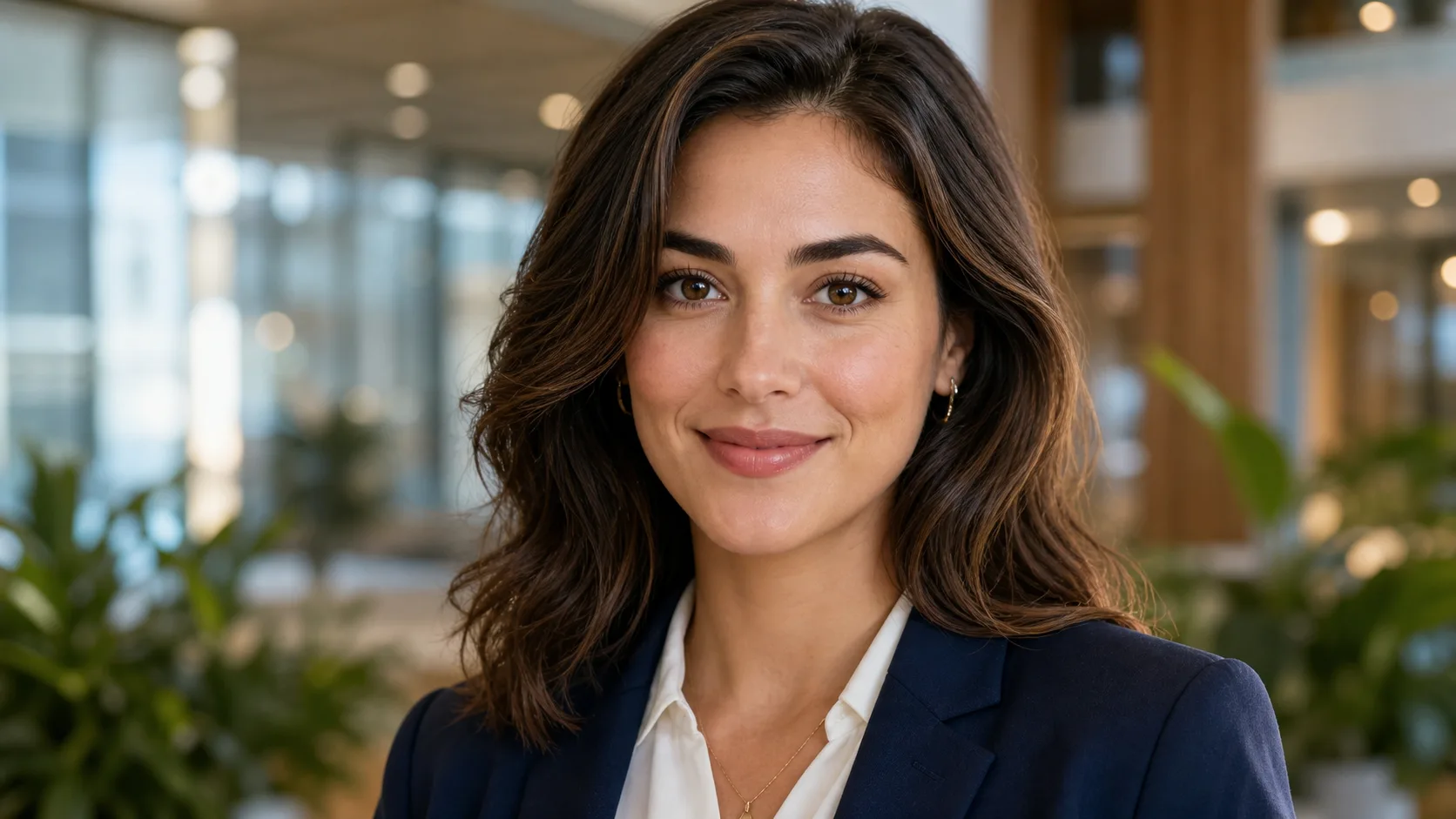
Pop Art Portrait Generator

Pop Art Portrait Generator

Turn a portrait into vivid Pop Art with saturated color blocks, halftone texture, crisp outlines, and a polished poster feel while keeping the person recognizable.

Pop Art Portrait Generator example result
0 / 2000
Template prompt

Pop Art Portrait Generator

Apply the Pop Art Portrait effect to the uploaded portrait. Preserve the person identity, expression, hairstyle, pose, and key facial traits. Recreate the image as a bold pop-art portrait with saturated color blocks, halftone dot texture, crisp black outlines, strong contrast, screen-print feel, and polished poster composition. Keep the portrait clearly recognizable.
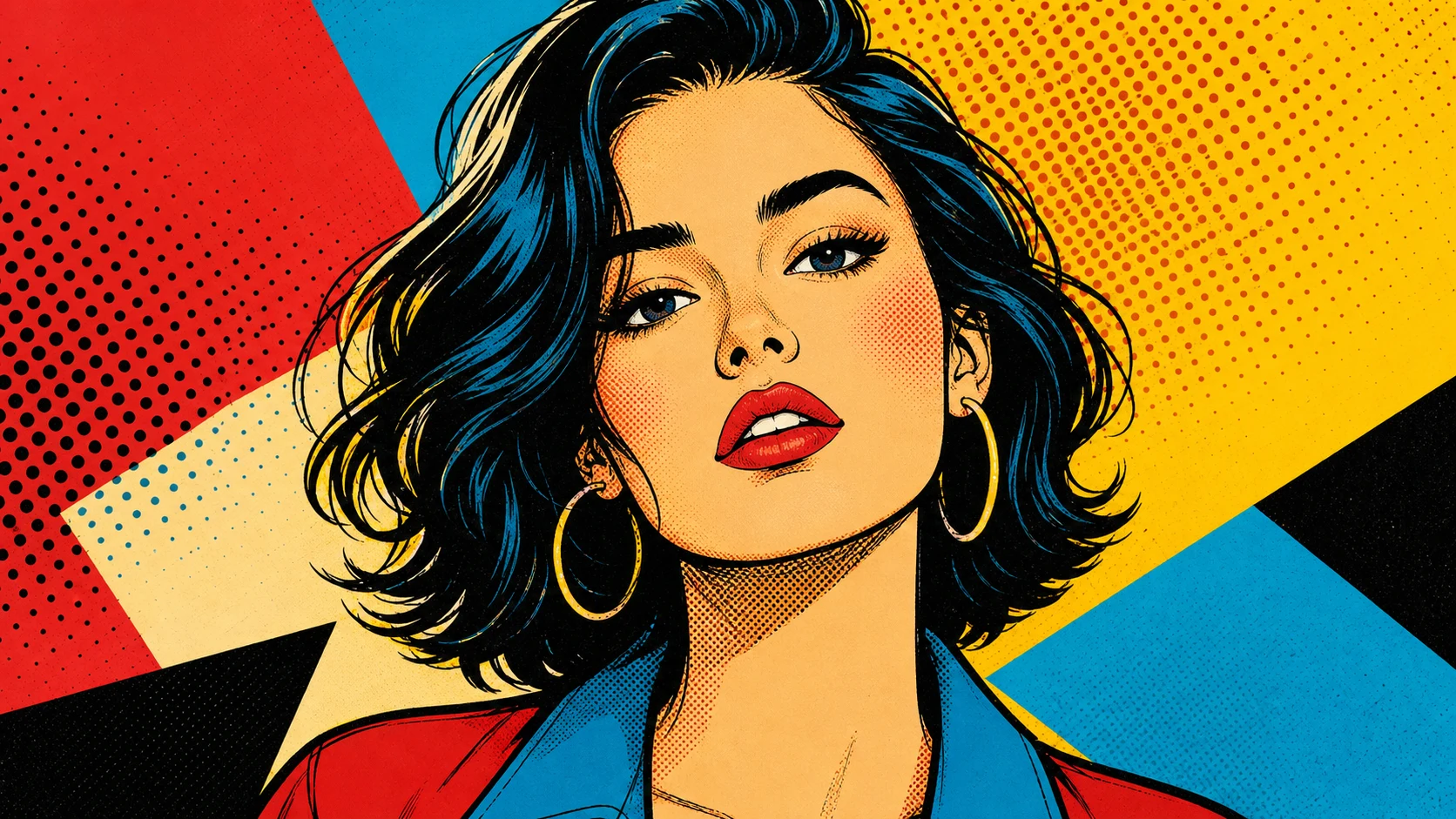
Pop Art Portrait Generator example result

What is a Pop Art Portrait Generator?

The Pop Art Portrait Generator transforms a clear portrait into a bold graphic image inspired by retro screen-print posters. It emphasizes high-contrast color planes, clean shapes, crisp black outlines, halftone dot texture, and strong facial structure so the result feels vivid, stylized, and still connected to the source.

From portrait photo to Pop Art poster

This template restyles a portrait into a bold Pop Art image while retaining the important visual cues that make the subject recognizable.

What changes

  • Turns a portrait into vivid Pop Art with high-contrast color, clean graphic shapes, retro print energy, and recognizable facial features.
  • Uses saturated color blocks, halftone dot texture, crisp black outlines, strong contrast, and a screen-print feel.
  • Builds a polished poster-style composition from the uploaded portrait.
  • Applies the Pop Art Portrait effect while emphasizing clear facial structure.

What stays recognizable

  • Preserves the person identity, expression, hairstyle, pose, and key facial traits.
  • Keeps the portrait clearly recognizable from the source image.
  • Maintains the main subject, silhouette, and important details.
  • Keeps defining colors, pose, and composition coherent where they matter to the portrait.

How the Pop Art Portrait Generator works

Create a Pop Art Portrait result by starting with a clear source image and checking the stylized output carefully.

1

Upload a clear portrait

Choose a sharp portrait where the face, expression, hairstyle, pose, and key details are easy to see.

2

Apply the Pop Art style

Use the template direction to request saturated color blocks, halftone dot texture, crisp black outlines, strong contrast, and a screen-print feel.

3

Review and refine

Compare the result with the original portrait, then adjust with a clearer image or more specific wording if the identity or details need improvement.

Pop Art Portrait variations

Explore different examples of the Pop Art Portrait look, from saturated poster color to crisp graphic portrait styling.

Pop Art Portrait Generator example result

Bold poster Pop Art portrait

A vivid Pop Art portrait example with strong color contrast, clean shapes, and a polished poster-like composition.

Pop Art Portrait Generator Example 2

Graphic halftone portrait

A second Pop Art Portrait example showing saturated tones, retro print energy, and recognizable subject styling.

Popular ways to use it

Use this template when you want a bold, graphic portrait direction for a personal, creative, or presentation-ready visual draft.

Personal and creative portraits

Create a focused Pop Art Portrait Generator preview for a profile concept, gift idea, campaign mood board, or personal creative project.

Style exploration

Compare the visual direction before you refine the image, share it with others, or present the style as a concept.

How to get a stronger Pop Art result

A good prompt should tell the template to keep the person recognizable while clearly describing the Pop Art finish you want.

Source image checklist

  • Use a sharp source image with the main subject clearly visible.
  • Avoid heavy blur, blocked details, extreme crops, or confusing overlaps.
  • Choose a source whose pose and framing support the intended Pop Art Portrait Generator result.

Prompt guidance

Apply the Pop Art Portrait effect to the uploaded portrait. Preserve the person identity, expression, hairstyle, pose, and key facial traits. Recreate the image as a bold pop-art portrait with saturated color blocks, halftone dot texture, crisp black outlines, strong contrast, screen-print feel, and polished poster composition. Keep the portrait clearly recognizable.

Review the finished portrait

Generated details can vary between runs, so review the image before refining, sharing, or presenting it.

Recognizability

Compare the face, hairstyle, expression, pose, silhouette, and defining details with the source image.

Pop Art treatment

Look for coherent saturated color blocks, clean shapes, halftone texture, crisp outlines, and strong contrast across the portrait.

Detail quality

Inspect faces, hands, edges, text, small objects, and background transitions for unwanted distortions or artifacts.

Pop Art Portrait Generator FAQ

Answers to common questions about creating a recognizable Pop Art Portrait from an uploaded image.

What is Pop Art Portrait Generator?
It is a portrait transformation template that restyles a person as vivid Pop Art, using saturated color blocks, halftone dots, clean graphic shapes, strong contrast, and a screen-print poster look.
Is Pop Art Portrait Generator free?
Availability and access can vary by product experience. Check the current ClipCanva interface for any usage details shown before you create.
How do I use Pop Art Portrait Generator?
Start with a clear portrait, open the template, upload the image, and create the result. For a stronger direction, describe the look you want, such as bold color blocks, crisp outlines, halftone texture, or a polished poster composition.
What image formats does Pop Art Portrait Generator support?
Use a standard image format supported by the upload interface. A sharp, well-lit portrait with visible facial features, hairstyle, pose, and silhouette will give the template more useful information to work from.
Can I use Pop Art Portrait Generator results commercially?
Usage rights can depend on the source image, platform terms, and how the result is used. Review the relevant terms and make sure you have permission to use the original portrait.
What Pop Art Portrait Generator changes should I expect?
It changes the portrait into a bold Pop Art image with saturated color planes, halftone dot texture, crisp black outlines, strong contrast, and retro print energy.
Which source image works best?
A clear, sharp portrait works best. Avoid heavy blur, blocked faces, extreme crops, confusing overlaps, or images where the main subject is too small to read clearly.
How can I keep the subject recognizable?
Use a source with distinct facial features, expression, hairstyle, pose, and silhouette. After creating the image, compare the result with the original and revise with a clearer source or more specific prompt if needed.

Create your Pop Art Portrait

Upload a clear portrait and turn it into a bold Pop Art image with saturated color, halftone texture, crisp outlines, and recognizable facial features.