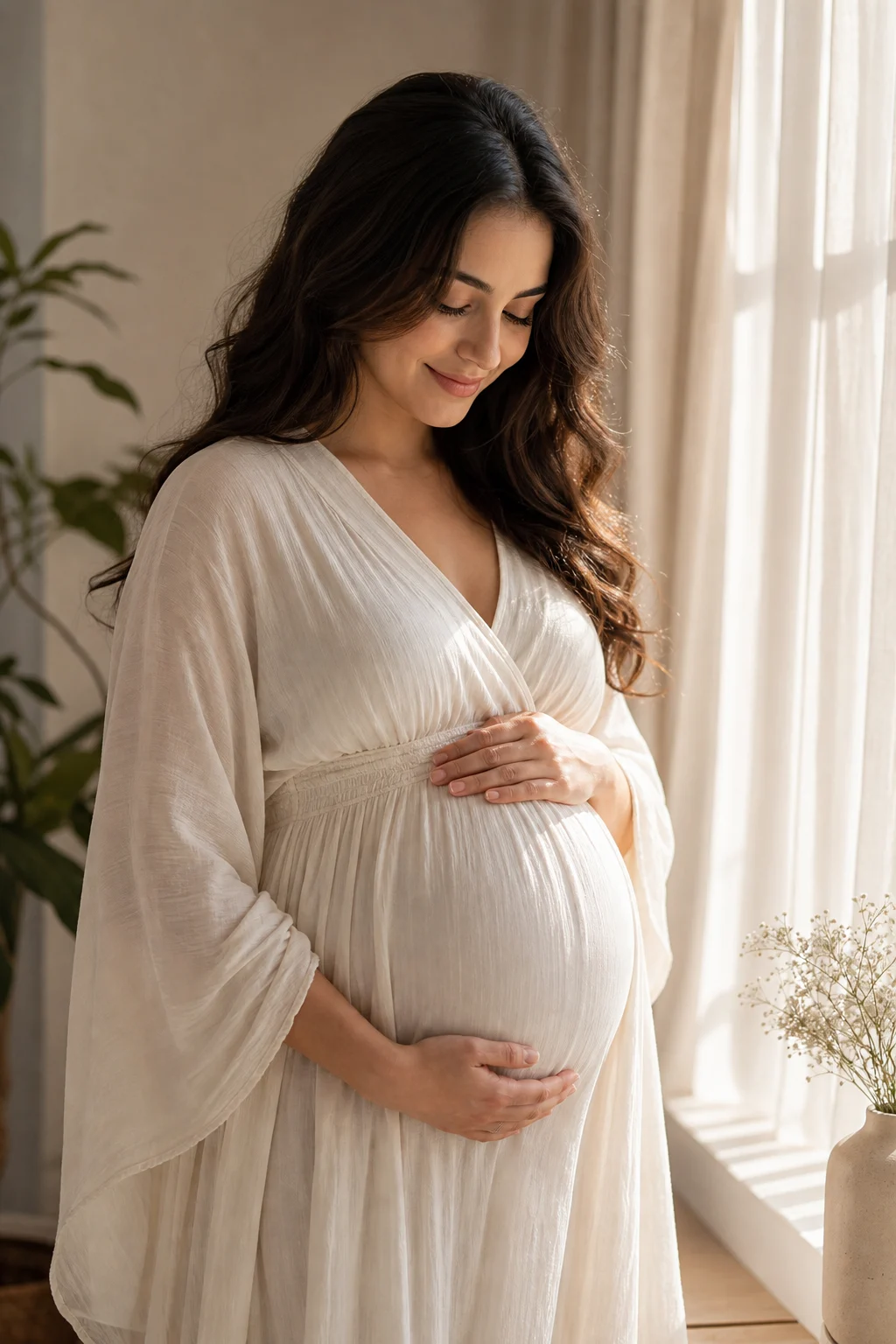
Pregnant AI Photo Generator

Pregnant AI Photo Generator

Create a soft maternity-style preview from a portrait or full-body photo while keeping the person recognizable, naturally lit, and respectfully composed.

Pregnant AI Photo Generator example result
0 / 2000
Template prompt

Pregnant AI Photo Generator

Apply the Pregnant AI Photo effect to the uploaded portrait or full-body photo. Preserve the person identity, face shape, hairstyle, expression, pose direction, clothing style cues, lighting, and background. Create a soft maternity-style preview with realistic pregnancy body shape when visible, gentle fabric behavior, natural posture, warm flattering light, and respectful photo-real composition. Do not change the person into someone else or add unrealistic anatomy.

Pregnant AI Photo Generator example result

What this Pregnant AI Photo Generator creates

The Pregnant AI Photo Generator helps turn a clear portrait or full-body image into a soft pregnancy photo preview. It focuses on a realistic maternity shape, natural posture, gentle fabric behavior, warm flattering light, and a photo-real composition that still reflects the original subject.

What changes and what stays the same

This template is designed for a subtle, realistic maternity preview rather than a dramatic identity change.

What changes

  • Creates a soft pregnancy photo preview from a portrait or full-body image while keeping the overall scene natural.
  • Adds a realistic maternity shape when visible, with natural posture and gentle fabric behavior.
  • Uses warm, flattering light and a respectful photo-real composition.
  • Applies the Pregnant AI Photo effect to the uploaded portrait or full-body photo.

What stays recognizable

  • Person identity, face shape, hairstyle, expression, and pose direction.
  • Clothing style cues, original lighting, and background context.
  • Defining colors, pose, silhouette, and important subject details.

Pregnant AI Photo Generator workflow

Follow a simple process to create and review a maternity-style preview from your source image.

1

Upload a clear source photo

Choose a sharp portrait or full-body image where the subject, face, pose, clothing, and background are easy to read.

2

Apply the template direction

Use the Pregnant AI Photo prompt to describe a realistic maternity shape, gentle fabric behavior, natural posture, and warm flattering light.

3

Review and refine

Compare the result with the source and check identity, anatomy, hands, edges, clothing transitions, and background details.

Pregnant AI photo examples

Explore different examples of the Pregnant AI Photo Generator effect, from portrait-focused previews to softly lit maternity-style compositions.

Pregnant AI Photo Generator Example 1

Soft maternity portrait

A warm, photo-real maternity preview that keeps the subject clear and the overall lighting gentle.

Pregnant AI Photo Generator Example 2

Natural pregnancy preview

A natural-looking Pregnant AI preview with balanced posture, fabric shape, and recognizable facial details.

Pregnant AI Photo Generator Example 3

Warm photo-real look

A respectful photo-style result with warm lighting and coherent background transitions.

Pregnant AI Photo Generator Example 4

Full-body maternity style

A gentle full-body direction that emphasizes realistic silhouette, pose, and clothing cues.

Ways to use this template

Use this template when you want a focused visual draft that keeps the original portrait direction intact.

Personal creative preview

Create a soft Pregnant AI Photo Generator preview for a personal concept, visual exploration, or creative project.

Direction comparison

Compare the visual direction before refining the prompt, choosing a clearer source image, sharing, or presenting the result.

How to get a natural Pregnant AI result

A clear source and a specific prompt help the result stay respectful, realistic, and close to the original image.

Source image checklist

  • Use a sharp source image with the main subject clearly visible.
  • Avoid heavy blur, blocked details, extreme crops, or confusing overlaps.
  • Choose a source whose pose and framing support the intended Pregnant AI Photo Generator result.

Prompt guidance

Apply the Pregnant AI Photo effect to the uploaded portrait or full-body photo. Preserve the person identity, face shape, hairstyle, expression, pose direction, clothing style cues, lighting, and background. Create a soft maternity-style preview with realistic pregnancy body shape when visible, gentle fabric behavior, natural posture, warm flattering light, and respectful photo-real composition. Do not change the person into someone else or add unrealistic anatomy.

Review before you use the result

Generated details can vary, so review the image carefully and try a clearer source or more specific prompt if the first draft needs refinement.

Check subject recognition

Compare the face shape, hairstyle, expression, pose direction, and main silhouette with the original image.

Review the Pregnant visual treatment

Make sure the maternity shape, posture, fabric behavior, and lighting feel coherent across the whole photo.

Look for image artifacts

Inspect faces, hands, edges, small objects, text, and background transitions for artifacts before using or sharing the result.

Pregnant AI Photo Generator FAQ

Common questions about preparing a source image and reviewing a Pregnant AI photo preview.

What is Pregnant AI Photo Generator?
It is a template for creating a pregnancy-style photo preview from an uploaded portrait or full-body image. The intended result adds a realistic maternity shape while preserving identity, pose direction, clothing cues, lighting, and background coherence.
Is Pregnant AI Photo Generator free?
Availability and access can vary by product experience. Check the current tool interface for any usage details before creating your image.
How do I use Pregnant AI Photo Generator?
Upload a clear photo where the subject is visible, use the provided Pregnant AI Photo prompt, and review the result for identity, anatomy, fabric behavior, and background consistency.
What image formats does Pregnant AI Photo Generator support?
Use a standard, clear image format supported by the upload area. For best results, choose a sharp portrait or full-body photo with the main subject unobstructed.
Can I use Pregnant AI Photo Generator results commercially?
Usage rights can depend on the source image, the platform terms, and how you plan to use the result. Review the applicable terms before using any generated image in a commercial context.
What changes does Pregnant AI Photo Generator make?
It adds a soft maternity-style visual direction, including a realistic pregnancy body shape when visible, natural posture, gentle fabric response, and warm flattering light.
Which source image works best?
A sharp portrait or full-body image works best when the face, hairstyle, pose, clothing shape, and background are clear. Avoid heavy blur, extreme crops, blocked details, or confusing overlaps.
How do I keep the subject recognizable?
Start with a clear image and review whether the face shape, hairstyle, expression, pose direction, silhouette, and defining clothing details still match the source.

Create a Pregnant AI photo preview

Upload a clear portrait or full-body image and create a soft maternity-style preview with natural posture, warm light, and recognizable subject details.