Dramatic Black And White Portrait

Dramatic Black And White Portrait

Turn a clear portrait into a high-contrast monochrome image with deep shadows, clean highlights, sculpted facial light, and a focused editorial mood.

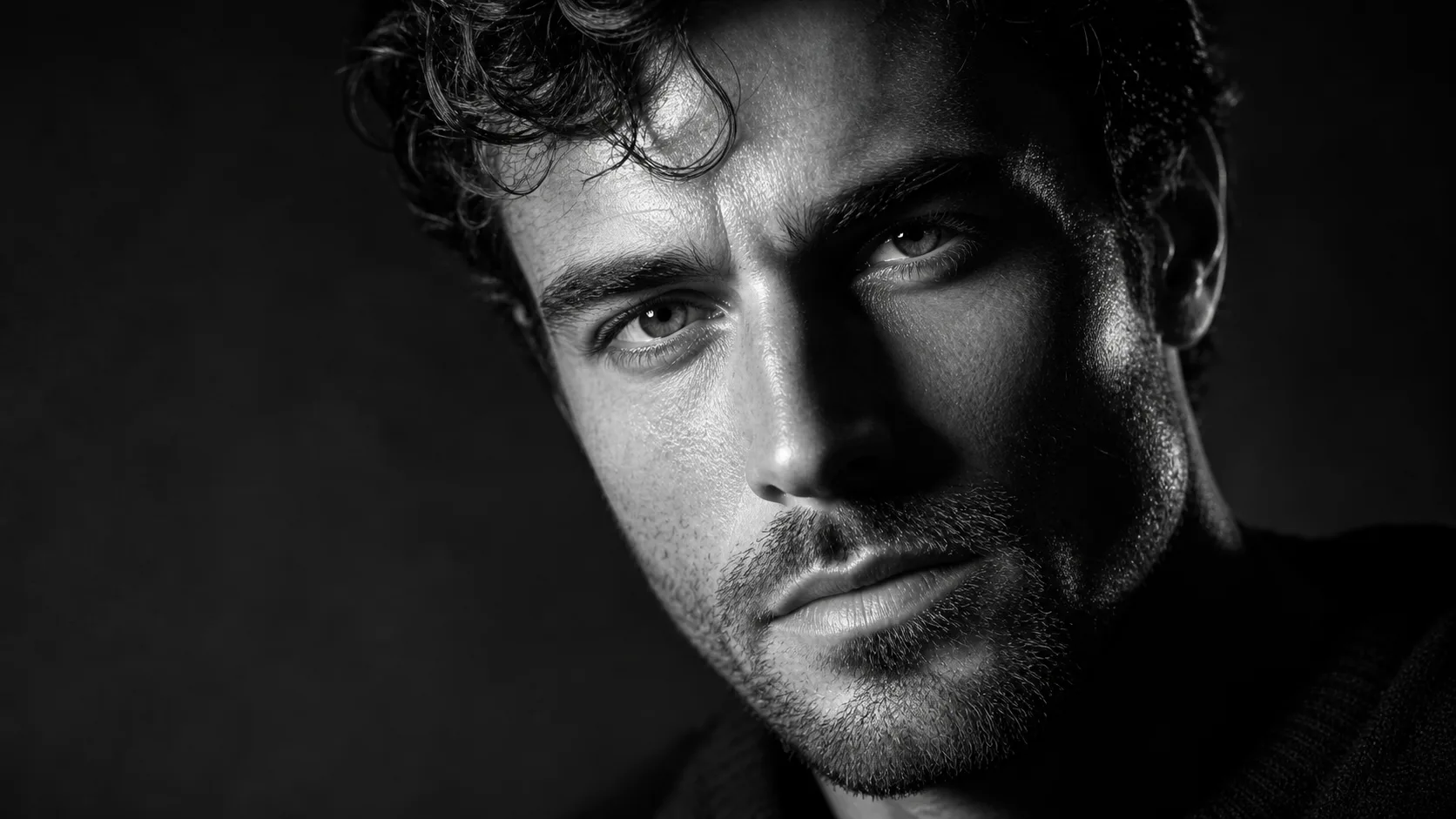
Dramatic Black And White Portrait example result
0 / 2000
Template prompt

Dramatic Black And White Portrait

Apply the Dramatic Black and White Portrait effect to the uploaded portrait. Preserve the person identity, face shape, expression, hairstyle, pose, clothing, and composition. Convert the photo into a high-contrast monochrome portrait with sculpted shadows, strong highlights, refined skin texture, cinematic lighting, deep blacks, and elegant editorial framing. Keep the subject recognizable and photorealistic.

Dramatic Black And White Portrait example result

What is Dramatic Black And White Portrait?

Dramatic Black And White Portrait is a portrait transformation style that converts a source photo into a bold monochrome image. It emphasizes strong contrast, deep blacks, clean white highlights, refined skin texture, and cinematic lighting while keeping the subject recognizable.

What the transformation does

This template shifts the image from a standard color portrait into a dramatic monochrome composition while keeping the subject grounded in the original photo.

What changes

  • Transforms a portrait into a high-contrast black and white image with strong shadows, clean highlights, and a focused editorial look.
  • Adds deep shadows, clean highlights, sculpted facial light, and a focused black-and-white mood.
  • Converts the photo into a high-contrast monochrome portrait with sculpted shadows, strong highlights, refined skin texture, cinematic lighting, deep blacks, and elegant editorial framing.
  • Applies the Dramatic Black And White Portrait effect to the uploaded portrait.

What stays recognizable

  • Preserves the person identity, face shape, expression, hairstyle, pose, clothing, and composition.
  • Keeps the subject recognizable and photorealistic.
  • Maintains the main subject from the source image.
  • Keeps defining pose, silhouette, and important subject details coherent.

How the workflow works

Follow a simple process to move from source portrait to a coherent dramatic black and white result.

1

Choose a clear portrait

Select a sharp portrait where the face, pose, hairstyle, clothing, and overall composition are visible.

2

Apply the black and white style

Apply the Dramatic Black And White Portrait style to create deep shadows, clean highlights, and a monochrome editorial look.

3

Review the result

Compare the output with the source and check identity, lighting, edges, hands, background transitions, and small details.

Dramatic Black And White Portrait examples

These examples show how the same Dramatic Black And White Portrait direction can support different framing and lighting moods.

Dramatic Black And White Portrait example result

High-contrast editorial portrait

A bold monochrome portrait with strong contrast, deep blacks, and clean facial highlights.

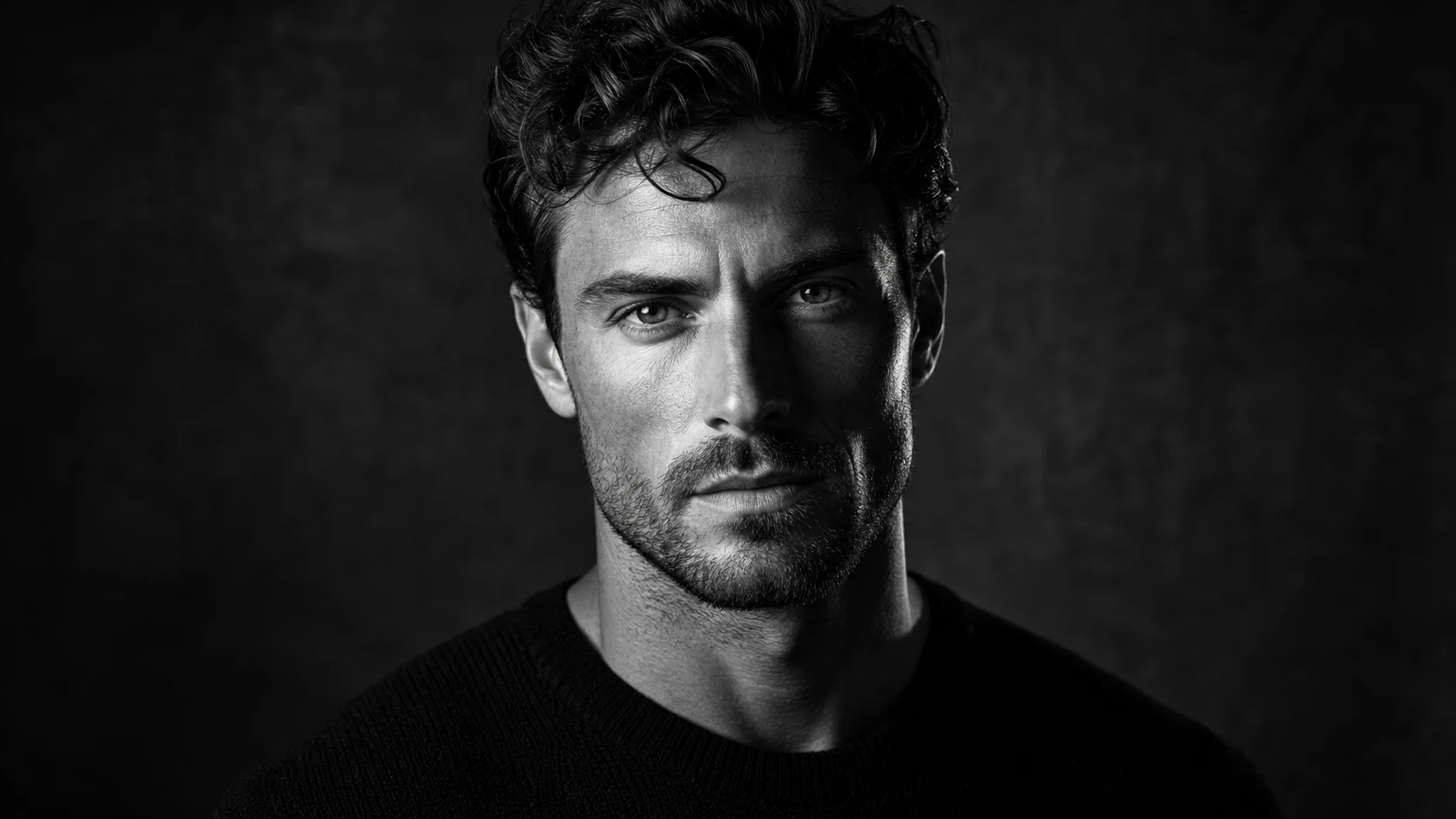
Dramatic Black And White Portrait Example 2

Sculpted monochrome portrait

A dramatic black and white example with focused lighting and a refined portrait mood.

Ways to use this portrait style

Use this template when you want a strong black and white portrait direction before further editing, sharing, or presenting a creative concept.

Creative portrait preview

Create a focused Dramatic Black And White Portrait preview for a personal or creative project.

Style direction comparison

Compare the visual direction before refining, sharing, or presenting the result.

How to get a stronger portrait result

The best results start with a portrait where the subject, expression, and framing are easy to read. The prompt should describe the desired monochrome lighting while protecting the person’s identity and key details.

Source image checks

  • Use a sharp source image with the main subject clearly visible.
  • Avoid heavy blur, blocked details, extreme crops, or confusing overlaps.
  • Choose a source whose pose and framing support the intended Dramatic Black And White Portrait result.

Prompt guidance

Ask for a high-contrast monochrome portrait with sculpted shadows, strong highlights, refined skin texture, cinematic lighting, deep blacks, and elegant editorial framing. Include that the person’s identity, face shape, expression, hairstyle, pose, clothing, and composition should be preserved.

Review before you use the result

Generated details can vary, so review the portrait before sharing, refining, or presenting it. A clearer source image or more specific prompt can help if the first result needs improvement.

Check subject identity

Compare the face shape, expression, hairstyle, pose, clothing, and silhouette with the original image.

Review the visual style

Make sure the Dramatic Black And White Portrait treatment feels consistent, with coherent shadows, highlights, and monochrome contrast.

Inspect fine details

Inspect faces, hands, edges, background transitions, text, and small objects for artifacts or unintended distortions.

Dramatic Black And White Portrait FAQ

Common questions about preparing a source image, using the template, and reviewing the final monochrome portrait.

What is Dramatic Black And White Portrait?
It is a visual style for turning a portrait into a high-contrast black and white image with sculpted shadows, clean highlights, and an editorial look.
Is Dramatic Black And White Portrait free?
Access can depend on the current ClipCanva experience and account options. Check the template page or app interface for the latest availability details.
How do I use Dramatic Black And White Portrait?
Upload a clear portrait, keep the subject visible, and apply the Dramatic Black And White Portrait style. Review the result for identity, lighting, and small-detail accuracy.
What image formats does Dramatic Black And White Portrait support?
Use a common image format supported by the upload interface. A sharp, well-framed portrait usually works better than a blurry, heavily cropped, or obstructed image.
Can I use Dramatic Black And White Portrait results commercially?
Usage depends on your rights to the source image, the people or objects shown, and the applicable ClipCanva terms. Review those details before using results in a commercial context.
What Dramatic Black And White Portrait changes are applied?
It changes the photo into monochrome, adds deep shadows, strengthens highlights, sculpts facial light, and gives the portrait a more cinematic editorial mood.
Which source image works best?
A sharp portrait with the face, hairstyle, pose, clothing, and overall composition clearly visible is the best starting point.
How can I keep the subject recognizable?
Start with a clear image, avoid blocked facial details, and compare the output against the source for face shape, expression, silhouette, and defining features.

Create a Dramatic Black And White Portrait

Upload a clear portrait and create a bold black and white result with deep shadows, clean highlights, and a focused editorial feel.