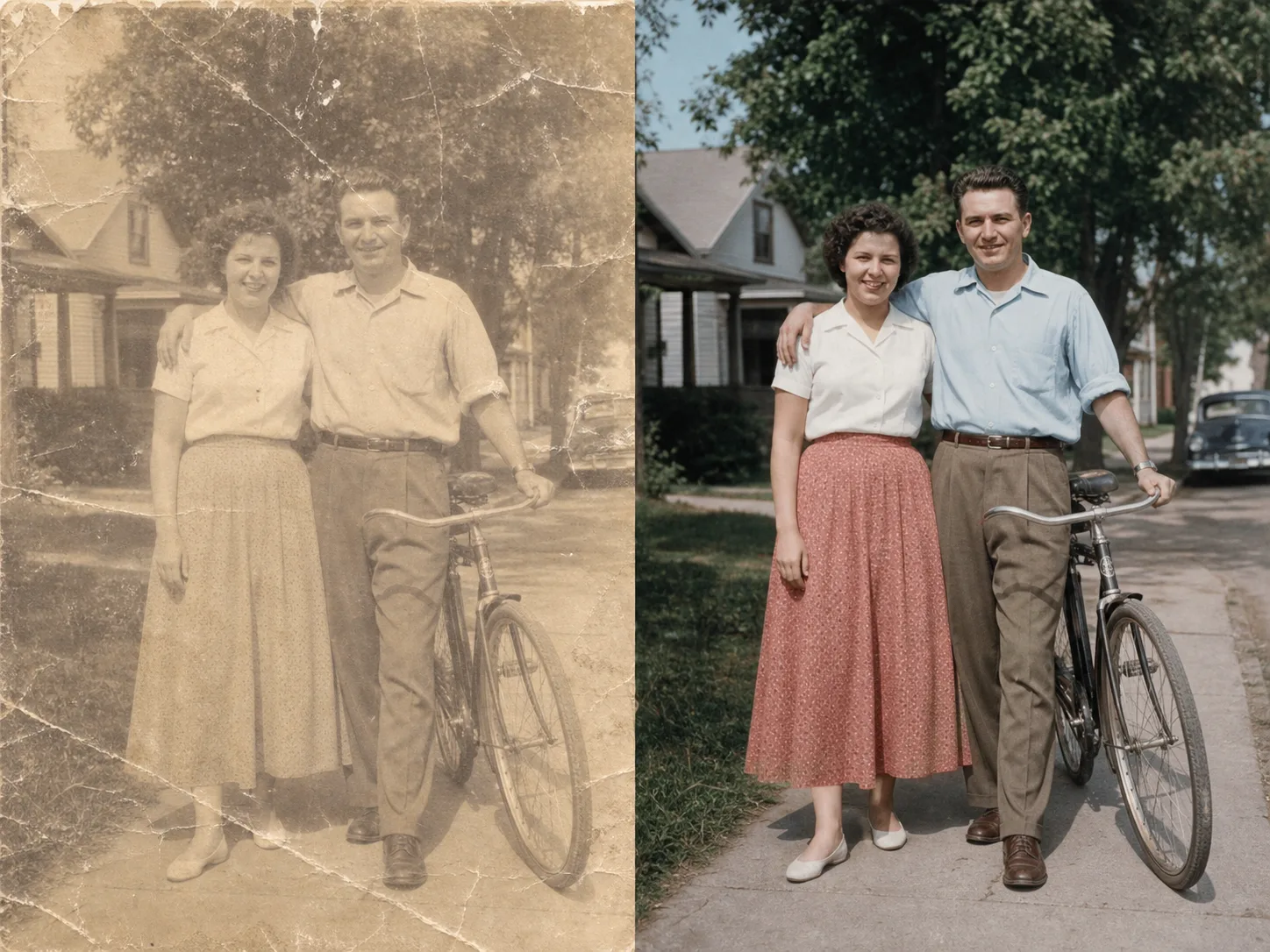
AI Image Cleanup

Upload an image for a guided cleanup review. Advanced controls appear only after the file and scope are clear.

Pro WorkflowImage CleanupReview StatePermission Check

Pro mode

Upload for review

Advanced controls appear after upload

Advanced after upload

The first view stays simple. Detailed controls appear only after the file type and rights confirmation are clear.

Small object distractions
Background marks or overlays
Prompt-guided cleanup
Review state for ambiguous marks

Image Cleanup Examples

Use bounded examples to judge which images fit a cleanup review.

How guided image cleanup works

The page keeps the first step simple and reveals advanced controls only when they are needed.

01

Upload one image for review

Start with a file you own or have permission to edit. The tool checks support before showing detailed controls.

02

Confirm the cleanup scope

Use the guided flow for small distractions, marks, background artifacts, or visible issues that should be reviewed first.

03

Use Pro controls when needed

Advanced cleanup controls stay hidden until the file and editing permission are clear.

04

Review before export

Ambiguous edits should be checked before downloading or using the cleaned image in production assets.

Designed for bounded cleanup

Guided Cleanup

Keep the first view simple while reserving advanced cleanup controls for Pro workflows.

Permission First

The flow asks users to confirm they can edit the file before starting cleanup.

Review State

Unsupported or ambiguous cleanup requests can move into review instead of pretending every file is safe to process.

Pro-only Controls

Complex controls stay behind Pro so the default tool surface remains lightweight.

גלו כלים קשורים

Use simpler tools first when background removal or enhancement is enough.

בחרו תוכנית

תמונות חינמיות כוללות סימן מים. שדרגו לקבלת פלטים נקיים, יצירה מהירה יותר ושימוש מסחרי.

חבילת התחלה

$9

חבילת קרדיטים חד-פעמית להתנסות ביצירת תמונות, מוזיקה ווידאו קצר.

  • 600 קרדיטים
  • עד 100 תמונות
  • עד 7 סרטונים קצרים
  • הקרדיטים תקפים ל-30 יום
  • ללא סימני מים

יוצר

$19/mo

תוכנית חודשית · 1,500 קרדיטים מתחדשים בכל חודש

  • 1,500 קרדיטים בחודש
  • עד 250 תמונות בחודש
  • עד 18 סרטונים קצרים בחודש
  • עובד עם ClipCanva Pro ומודלים אחרים מבוססי קרדיטים
  • תור בעדיפות
  • תמיכת קהילה
  • ללא פרסומות
  • ללא סימני מים

פרו

$39/mo

מסלול חודשי · 4,000 קרדיטים מתחדשים בכל חודש

  • 4,000 קרדיטים בחודש
  • עד 660 תמונות בחודש
  • עד 50 סרטונים קצרים בחודש
  • עובד עם ClipCanva Pro ומודלים אחרים מבוססי קרדיטים
  • התור בעדיפות הגבוהה ביותר
  • פתח את הנעילה של ClipCanva Pro
  • ללא פרסומות
  • ללא סימני מים
  • שיפור מתקדם

סטודיו

$99/mo

מסלול חודשי · 12,000 קרדיטים מתחדשים בכל חודש

  • 12,000 קרדיטים בחודש
  • עד 2,000 תמונות בחודש
  • עד 150 סרטונים קצרים בחודש
  • עובד עם ClipCanva Pro ומודלים אחרים מבוססי קרדיטים
  • התור בעדיפות הגבוהה ביותר
  • פרטיות מלאה
  • גישה מוקדמת לפיצ׳רים חדשים
  • תמיכה בעדיפות

במסלולים חודשיים הקרדיטים מתחדשים בכל מחזור חיוב. במסלולים שנתיים מקבלים מראש קרדיטים ל-12 חודשים וחוסכים 17%. הערכות השימוש מבוססות על מודלי התמונה והווידאו הנתמכים בעלות הנמוכה ביותר; מודלים פרימיום, רזולוציות גבוהות יותר, סרטונים ארוכים יותר, יצירה מבוססת רפרנסים וכלים מתקדמים צורכים יותר קרדיטים.

צוות

לסוכנויות, צוותי הפקה וצרכים מותאמים בנפח גבוה.

צרו קשר

Image Cleanup FAQ

Common questions before using Pro cleanup.

What is Image Cleanup for?
It is for guided cleanup of images you own, such as small distractions, background marks, or visible artifacts.
Why is this a Pro workflow?
Cleanup can require more judgment than simple background removal, so advanced controls and review states stay in Pro.
Can it remove every mark from an image?
No. Some edits are unsupported or ambiguous. The page is designed to make those limits clear before processing.

Review an image for cleanup

Use ClipCanva Pro when a simple cutout or enhancement is not enough.