Virtual Nose Ring Try-On Free

Virtual Nose Ring Try-On Free

Upload your own or authorized clear portrait to preview a nose stud, nostril hoop, or septum ring as a visual concept. Compare styles while keeping the face, pose, and composition recognizable.

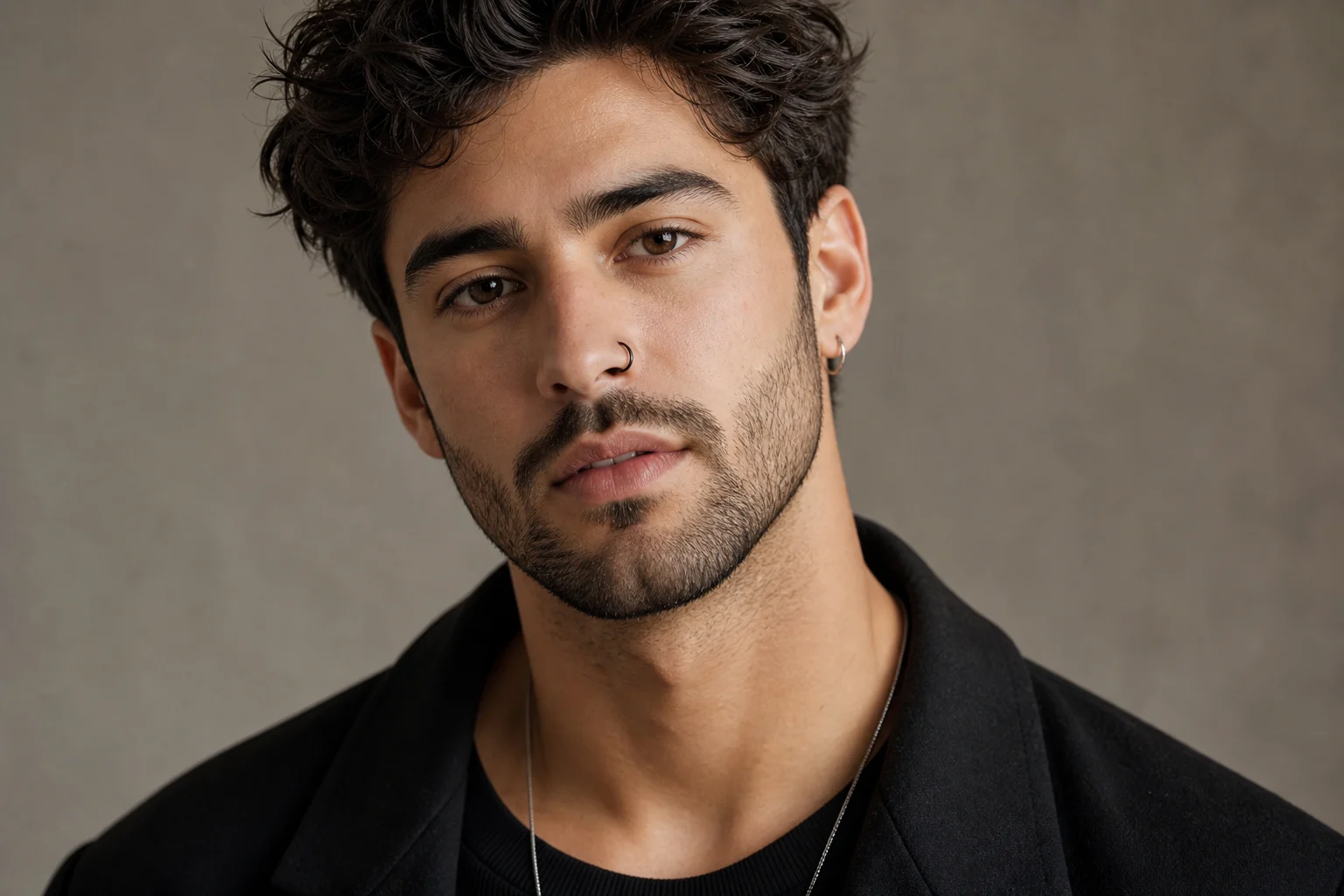
Virtual nose ring try-on preview with a realistic nostril hoop
0 / 2000
Template prompt

Virtual Nose Ring Try-On Free

Edit the uploaded authorized portrait into a virtual nose-jewelry concept. Add exactly one nose stud, hoop, or septum ring chosen by the user; when no direction is given, add a small polished silver hoop on the left nostril. Use plausible perspective, contact, reflections, and shadows. Aim to keep the composition and facial details recognizable while avoiding changes beyond the requested jewelry. The result may still drift and must be reviewed.

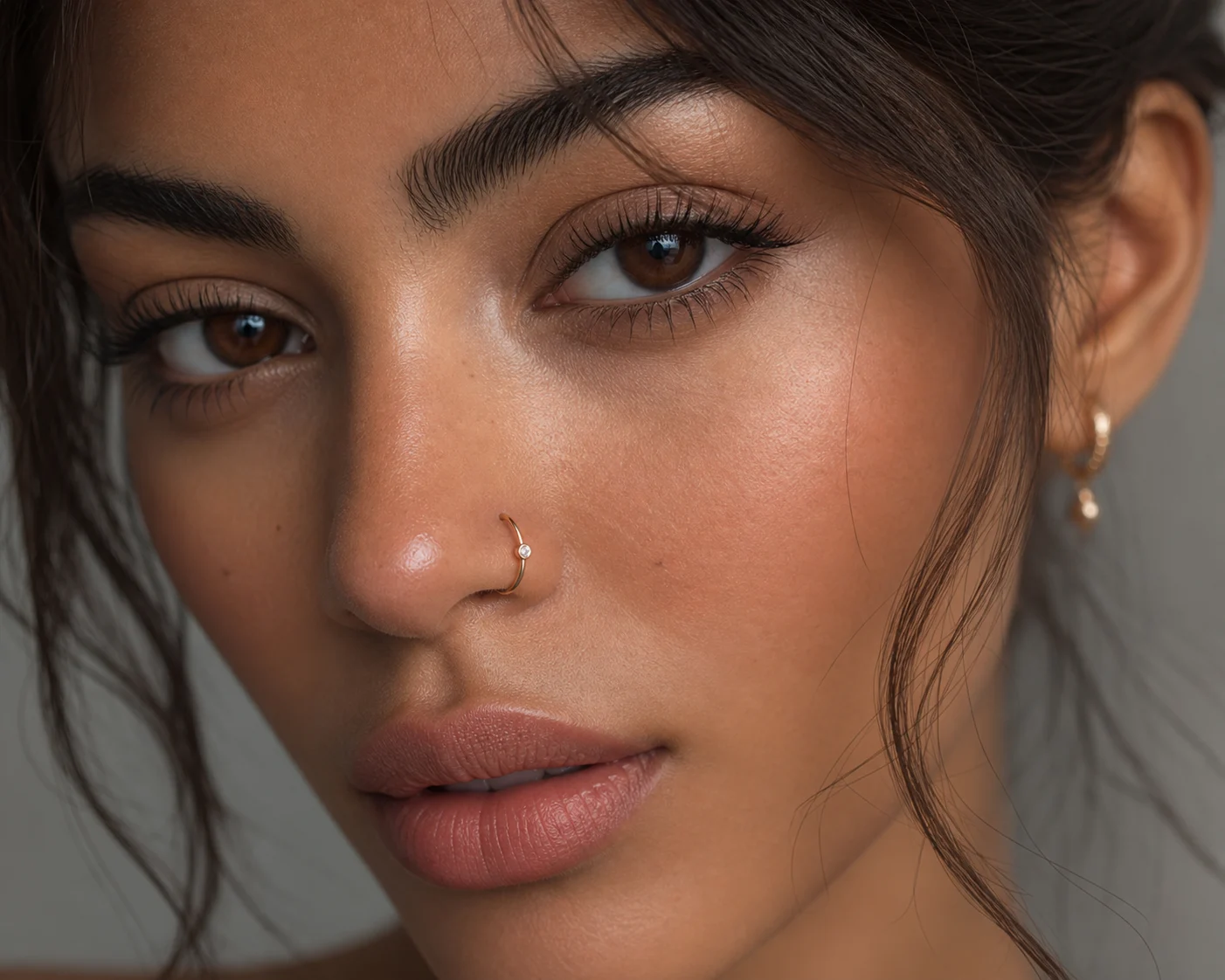
Virtual nose ring try-on preview with a realistic nostril hoop

Preview nose jewelry on your portrait

Virtual Nose Ring Try-On Free is a portrait editing template for previewing nose jewelry on a clear, authorized photo. It can show a small stud, a nostril hoop, or a septum ring with plausible perspective, reflections, contact shadows, and skin texture. The preview is for visual exploration only, not a recommendation for real piercing placement, healing, or final appearance.

What the AI nose piercing filter does

This template is designed for a focused nose jewelry preview while avoiding unrelated edits to the portrait.

What changes

  • Adds exactly one nose stud, nostril hoop, or septum ring based on your description.
  • Creates plausible reflections, contact shadows, skin texture, and perspective around the jewelry.
  • Lets you specify jewelry type, metal, size, and side for a more focused preview.
  • Produces a visual concept for comparison, not a prediction of safe placement or a real result.

What stays consistent

  • Aim to keep the composition and facial details recognizable while avoiding changes beyond the requested jewelry.
  • The main subject remains recognizable from the source image.
  • Defining colors, pose, silhouette, and important subject details stay coherent.

How to use Virtual Nose Ring Try-On Free online

A simple process helps keep the edit focused on the requested jewelry rather than changing the rest of the portrait.

1

Upload a clear portrait

Select your own or an authorized portrait where the nose and surrounding facial details are sharp and unobstructed.

2

Choose the nose jewelry

Describe the jewelry type, metal, size, and side, such as a small silver hoop on the left nostril or a tiny gold stud on the right nostril.

3

Check and refine the result

Review the generated preview for facial consistency, jewelry placement, believable shadows, and any artifacts around edges or small details.

Nose ring styles to try

Try different jewelry shapes, metals, and placements to see which direction suits the portrait best.

Virtual try-on of a black nostril hoop

Black nostril hoop

Preview a clean black nostril hoop for a sharper, more graphic look while keeping the portrait composition intact.

Virtual try-on of a gold nostril hoop

Gold nostril hoop

Add a warm gold hoop to compare a brighter jewelry finish against the subject’s skin tone, lighting, and pose.

Virtual try-on of a silver septum ring

Silver septum ring

Try a centered silver septum ring with subtle shadows and reflections for a balanced front-facing preview.

Virtual try-on of a minimal gold nose stud

Minimal gold nose stud

Preview a minimal gold stud when you want a smaller, understated jewelry detail instead of a hoop.

Ways to use a virtual nose ring preview

Use the preview when you want to compare jewelry directions before deciding which visual style to refine or share.

Explore a new look

Create a focused Virtual Nose Ring Try-On Free preview for a personal mood board, profile concept, style comparison, or creative edit.

Compare jewelry styles

Compare a gold stud, silver hoop, black hoop, or septum ring before choosing the version that best fits the portrait.

How to get a cleaner preview

The clearest results come from a straightforward prompt paired with a portrait where the nose area is easy to read.

Source image checklist

  • Use a sharp source image with the main subject clearly visible.
  • Avoid heavy blur, blocked details, extreme crops, or confusing overlaps.
  • Choose a source whose pose and framing support the intended Virtual Nose Ring Try-On Free result.

Prompt tips

Mention one jewelry style, the metal, the size, and the side. For example: “Add a small polished gold stud to the right nostril with natural reflections and a subtle contact shadow,” or “Add a thin silver septum ring centered under the nose.”

What to review before you use the result

Generated details can vary, so review the preview before sharing, refining, or using it in a personal or creative project.

Check subject recognition

Compare the face shape, expression, pose, hairline, and other defining features against the source portrait.

Review the jewelry placement

Look at whether the nose ring follows the face angle and has believable highlights, shadows, and contact with the skin.

Scan the full image

Inspect faces, hands, text, edges, small objects, and background transitions for artifacts or unwanted changes.

Virtual nose ring try-on FAQ

Common questions about using the AI nose piercing filter for a visual jewelry preview.

Can I try on a nose ring online for free?
You can create a visual nose ring preview online by uploading a clear portrait and describing the jewelry you want to see, such as a tiny stud, silver hoop, gold hoop, or septum ring. Treat the result as a concept image to review, not as a real-world outcome.
What should I write for the best virtual try-on?
Write the jewelry type, metal, size, and side. For example: “small polished silver hoop on the left nostril,” “tiny gold stud on the right nostril,” or “delicate silver septum ring centered under the nose.”
What can I preview with the AI Nose Piercing Filter?
You can preview a nose stud, nostril hoop, or septum ring on an authorized portrait. The template focuses on adding one clear piece of jewelry while aiming to preserve the subject’s face, pose, colors, and background.
What can change in the generated preview?
Small details can vary, including highlight shape, ring thickness, shadow placement, and how the jewelry follows the angle of the face. Review the image closely before using or sharing it.
Can this preview tell me whether to get a real nose piercing?
No. This preview cannot tell you whether a real nose piercing is safe, suitable, or correctly placed. It is only a visual concept for comparing how a stud, hoop, or septum ring might look in an image.
What Virtual Nose Ring Try-On Free changes does it make?
The main change is the addition of one requested piece of nose jewelry. The template aims to avoid unrelated edits so the subject remains recognizable and the overall portrait still matches the source image.
Which source image works best?
Use a sharp, well-lit portrait where the nose and surrounding facial features are visible. Avoid heavy blur, blocked details, extreme crops, harsh shadows, or angles that hide the area where the jewelry should appear.
How do I keep the subject recognizable?
Start with a clear portrait and keep your prompt focused. Ask for one specific jewelry style, side, metal, and size, and avoid requesting extra changes to the face, hairstyle, clothing, or background.

Try a virtual nose ring on your portrait

Upload a clear authorized portrait, choose a stud, hoop, or septum ring, and make a focused visual preview you can compare and refine.