
01
तुमची इमेज अपलोड करा
तुम्हाला रूपांतरित करायचा असलेला कोणताही फोटो किंवा प्रतिमा अपलोड करा. उच्च रिझोल्यूशन इनपुट चांगले परिवर्तन परिणाम देतात.
कोणतीही प्रतिमा अपलोड करा आणि AI सह तिचे रूपांतर करा. शैली बदला, घटक जोडा, पार्श्वभूमी सुधारा किंवा साध्या मजकूर प्रॉम्प्टसह आपल्या व्हिज्युअलची पुनर्कल्पना करा.
प्रो मोड
अपलोडनंतर प्रगत कंट्रोल्स
प्रतिमा अपलोड झाल्यानंतर प्रगत सेटिंग्ज समायोजित करा.
विद्यमान प्रतिमा पूर्णपणे नवीन मध्ये बदला. स्टाईल ट्रान्सफरपासून ते ऑब्जेक्ट बदलांपर्यंत, अमर्याद सर्जनशील शक्यता अनलॉक करा.
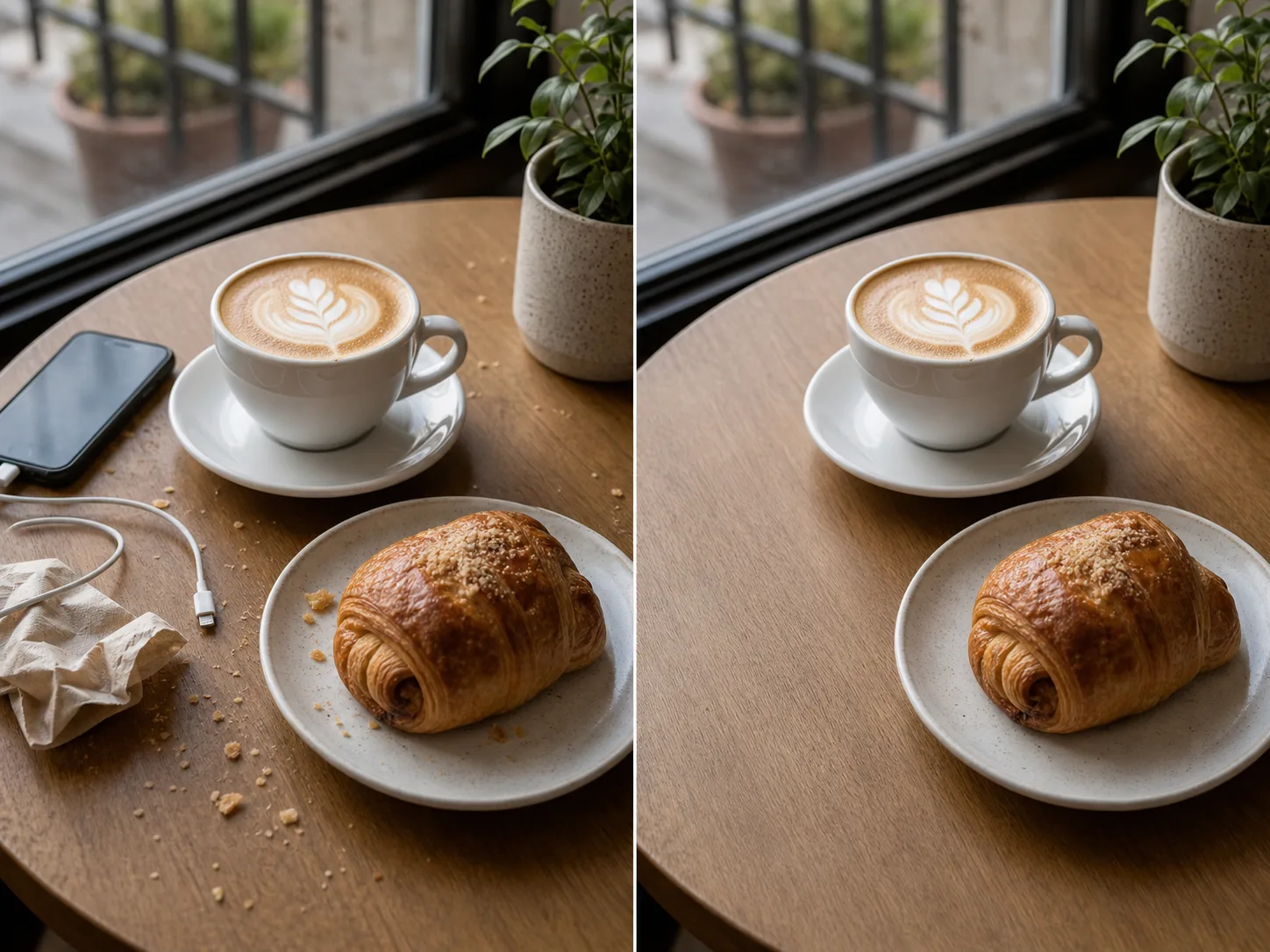

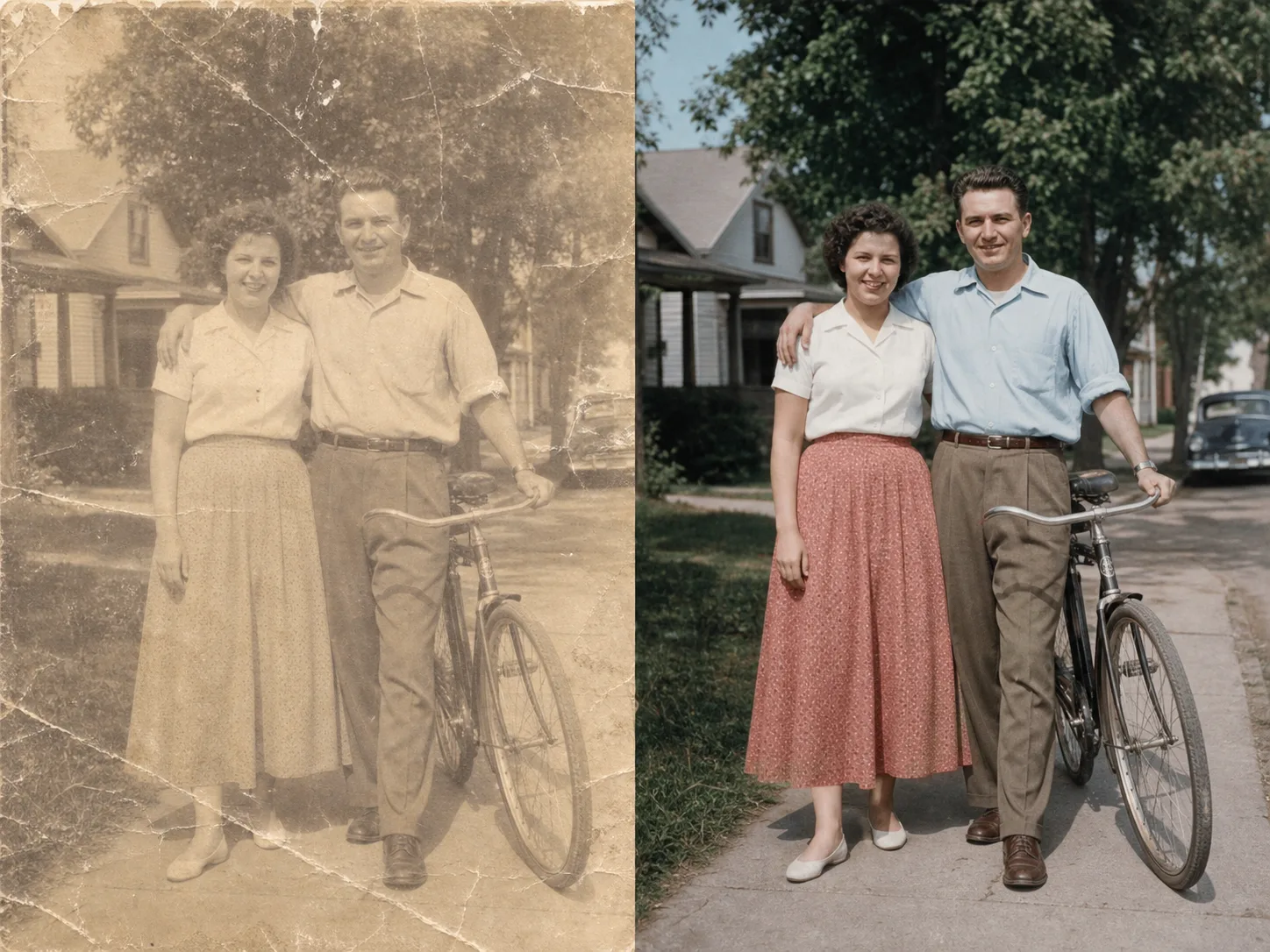
अपलोड पासून मिनिटांत बदललेल्या प्रतिमेपर्यंत:
तुम्हाला रूपांतरित करायचा असलेला कोणताही फोटो किंवा प्रतिमा अपलोड करा. उच्च रिझोल्यूशन इनपुट चांगले परिवर्तन परिणाम देतात.
तुम्हाला हवे असलेल्या परिवर्तनाचे वर्णन करणारा मजकूर प्रॉम्प्ट लिहा. शैली बदला, घटक जोडा, पार्श्वभूमी बदला किंवा प्रतिमेची पुन्हा कल्पना करा.
व्युत्पन्न करा क्लिक करा आणि सेकंदात तुमची बदललेली प्रतिमा प्राप्त करा. उच्च रिझोल्यूशनमध्ये डाउनलोड करा, वापरासाठी तयार.
आपली प्रतिमा कोणत्याही कलात्मक शैलीमध्ये बदला. प्रसिद्ध पेंटिंग, विशिष्ट कलाकार किंवा कोणत्याही दृश्य सौंदर्याचा देखावा लागू करा.
सुधारित करण्यासाठी आपल्या प्रतिमेचे कोणतेही क्षेत्र निवडा. अवांछित वस्तू काढा, नवीन घटक जोडा किंवा विशिष्ट तपशील बदला.
पार्श्वभूमी अखंडपणे बदला. योग्य प्रकाश व्यवस्था राखून नवीन वातावरणात विषय ठेवा.
शैली आणि घटक बदलताना तुमच्या मूळ प्रतिमेची मांडणी, विषय आणि दृष्टीकोन ठेवा.
अधिक AI-शक्तीची साधने एक्सप्लोर करा
मोफत प्रतिमांमध्ये वॉटरमार्क असतो. स्वच्छ आउटपुट, जलद जनरेशन आणि व्यावसायिक वापरासाठी अपग्रेड करा.
सुरू कराer Pack
A one-time credit pack साठी trying प्रतिमा, संगीत, आणि shकिंवाt व्हिडिओ जनरेशन.
निर्माता
मासिक योजना · 1,500 क्रेडिट्स प्रत्येक महिन्याला नूतनीकरण करतात
GPT Image 2 Unlimited
Stripe Checkout मध्ये FOUNDING6 कोड टाका: पहिल्या 6 महिन्यांसाठी $19/महिना, त्यानंतर $29/महिना.
प्रो
मासिक योजना · 4,000 क्रेडिट्स प्रत्येक महिन्याला नूतनीकरण करतात
स्टुडिओ
मासिक योजना · 12,000 क्रेडिट्स प्रत्येक महिन्याला नूतनीकरण करतात
सुरक्षित पेमेंट · सदस्यत्वे आपोआप नूतनीकरण होतात · परताव्याची पात्रता पहा
Team योजना
एजन्सी, उत्पादन संघ आणि सानुकूल व्हॉल्यूम गरजांसाठी.
इमेज टू इमेज AI बद्दल आपल्याला माहित असणे आवश्यक असलेली प्रत्येक गोष्ट
कोणतीही प्रतिमा अपलोड करा आणि AI-शक्तीच्या परिवर्तनाची जादू पहा.

