ClipCanva

How to Map a Multi-Agent System Diagram

Map a multi-agent system diagram with clear roles, handoffs, shared context, tool boundaries, and review paths—without overstating capabilities.

July 26, 2026ClipCanva Editorial
How to Map a Multi-Agent System Diagram

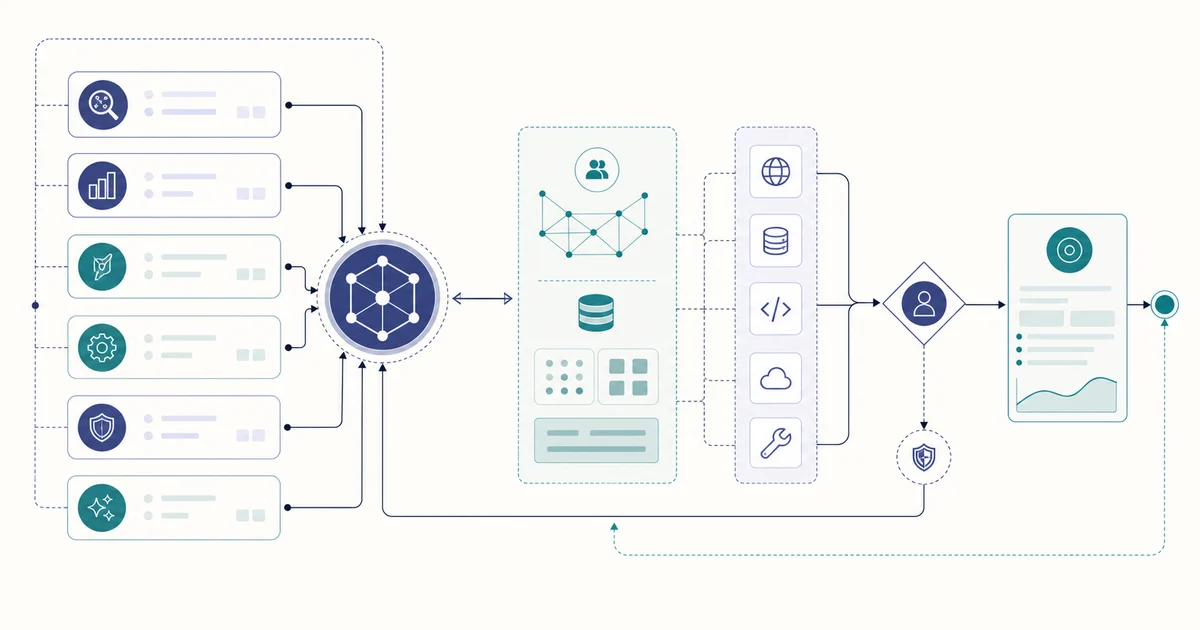
A multi-agent system diagram should make responsibility and information flow easier to inspect. It must not imply that an agent has a tool, permission, memory, or capability that the system specification does not document. Treat the first image as a visual draft and keep the verified architecture notes open while you review it.

Start with the real roles

List the user request, orchestrator, planning step, specialist agents, shared context, approved tools, review point, and final response only when each exists in the system. Give each role one short purpose. Do not use a generic “agent” box to hide several undocumented responsibilities.

Map boundaries and handoffs

Label arrows by their actual meaning: task handoff, read, write, tool call, result return, or review request. Show optional branches separately from the main path. Shared context should not look like unrestricted shared memory unless the design really permits it, and tools should stay outside the roles that cannot call them.

Review the visual against the specification

Create a draft with the AI Research Diagram Generator, then check every role, relationship, tool, permission, capability, and output against the verified system design. A generated diagram can explain an architecture; it does not prove performance, safety, or feature availability.