Girl With A Pearl Portrait

Girl With A Pearl Portrait

Turn a clear portrait into a quiet, museum-style image with pearl-earring styling, soft side light, a dark backdrop, painterly texture, and a recognizable likeness.

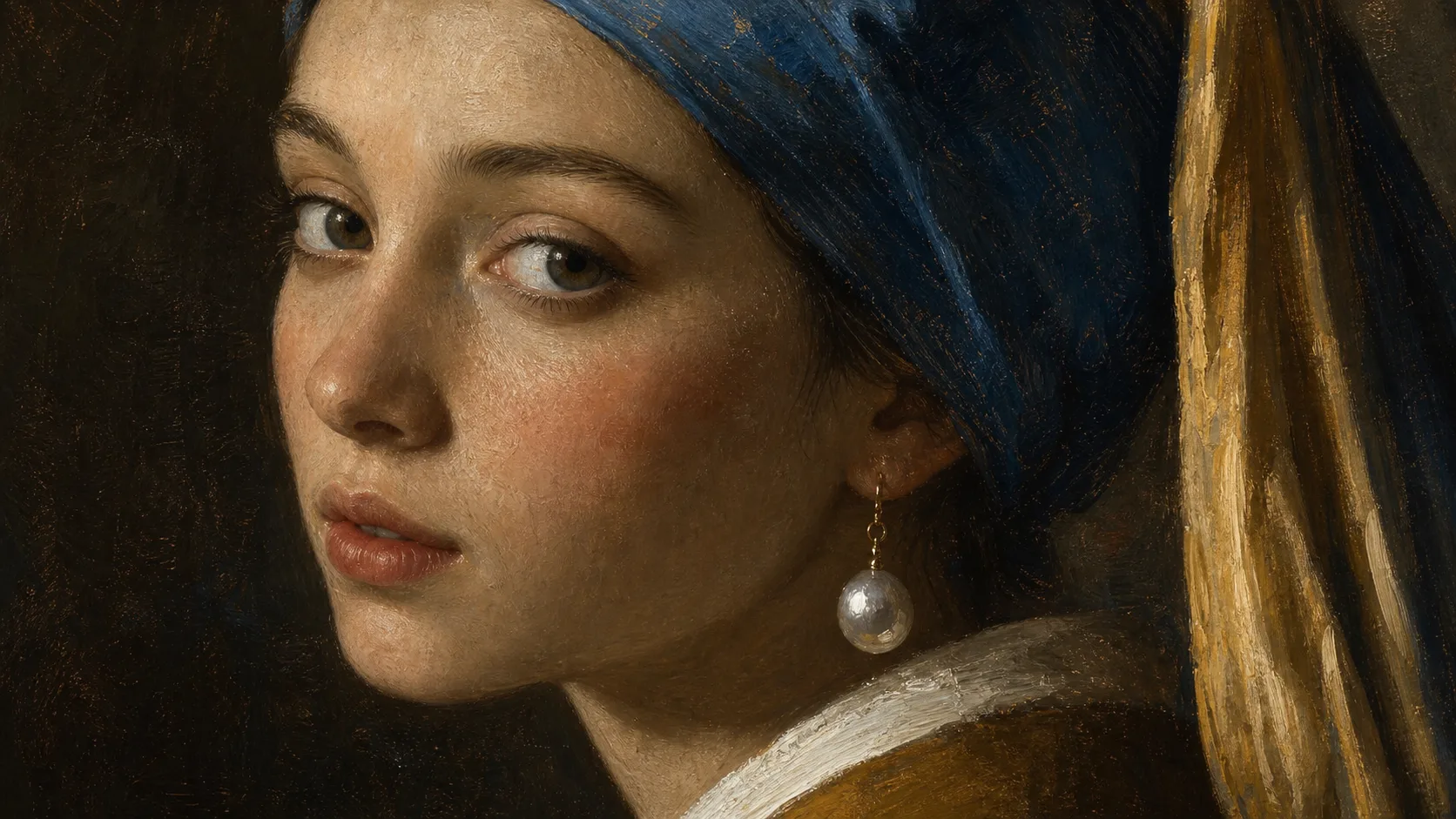
Girl With A Pearl Portrait example result
0 / 2000
Template prompt

Girl With A Pearl Portrait

Apply the Girl with a Pearl Portrait effect to the uploaded portrait. Preserve the person identity, face shape, expression, gaze direction, and key facial traits. Recreate the image as a classical oil-painting portrait inspired by a pearl-earring old-master look, with dark soft background, side lighting, painterly skin texture, elegant head turn, pearl earring accent when appropriate, and museum-quality composition. Keep the likeness recognizable, not a copy of another person.

Girl With A Pearl Portrait example result

What is Girl With A Pearl Portrait?

Girl With A Pearl Portrait is a portrait style that transforms your photo into a classical, old-master inspired scene. It emphasizes an elegant head turn, soft side lighting, a deep background, painterly skin texture, and a pearl earring accent when it suits the subject, while keeping the person’s facial identity recognizable.

How the portrait is transformed

This style shifts a modern portrait toward a quiet classical painting while keeping the original subject legible.

What changes

  • Creates a museum-style portrait with pearl-earring styling, quiet lighting, painterly texture, and recognizable facial features from your photo.
  • Adds soft side light, a dark backdrop, painterly skin detail, and a calm classical mood.
  • Builds an old-master inspired composition with an elegant head turn and a pearl earring accent when appropriate.
  • Applies the Girl With A Pearl Portrait treatment to the uploaded portrait.

What stays recognizable

  • Preserves the person’s identity, face shape, expression, gaze direction, and key facial traits.
  • Keeps the likeness recognizable without copying another person.
  • Maintains the main subject as the focus of the image.
  • Keeps defining colors, pose, silhouette, and important subject details coherent.

How it works

Follow a simple process to turn a clear portrait into a calm, classical image while checking that the subject remains recognizable.

1

Choose a clear source photo

Pick a sharp portrait where the main face, pose, and defining details are visible. Three-quarter and head-and-shoulders framing often supports the style well.

2

Create the portrait

Apply the Girl With A Pearl Portrait style to create soft side light, a dark background, painterly texture, and pearl-inspired styling.

3

Review and refine

Compare the result with the source image, checking identity, expression, gaze, edges, and small details before deciding whether to refine it.

Girl With A Pearl Portrait examples

Explore how the same visual idea can feel softer, darker, or more painterly depending on the source portrait and composition.

Girl With A Pearl Portrait example result

Classic pearl portrait

A soft, classical portrait direction with pearl-earring styling, quiet light, and a dark backdrop.

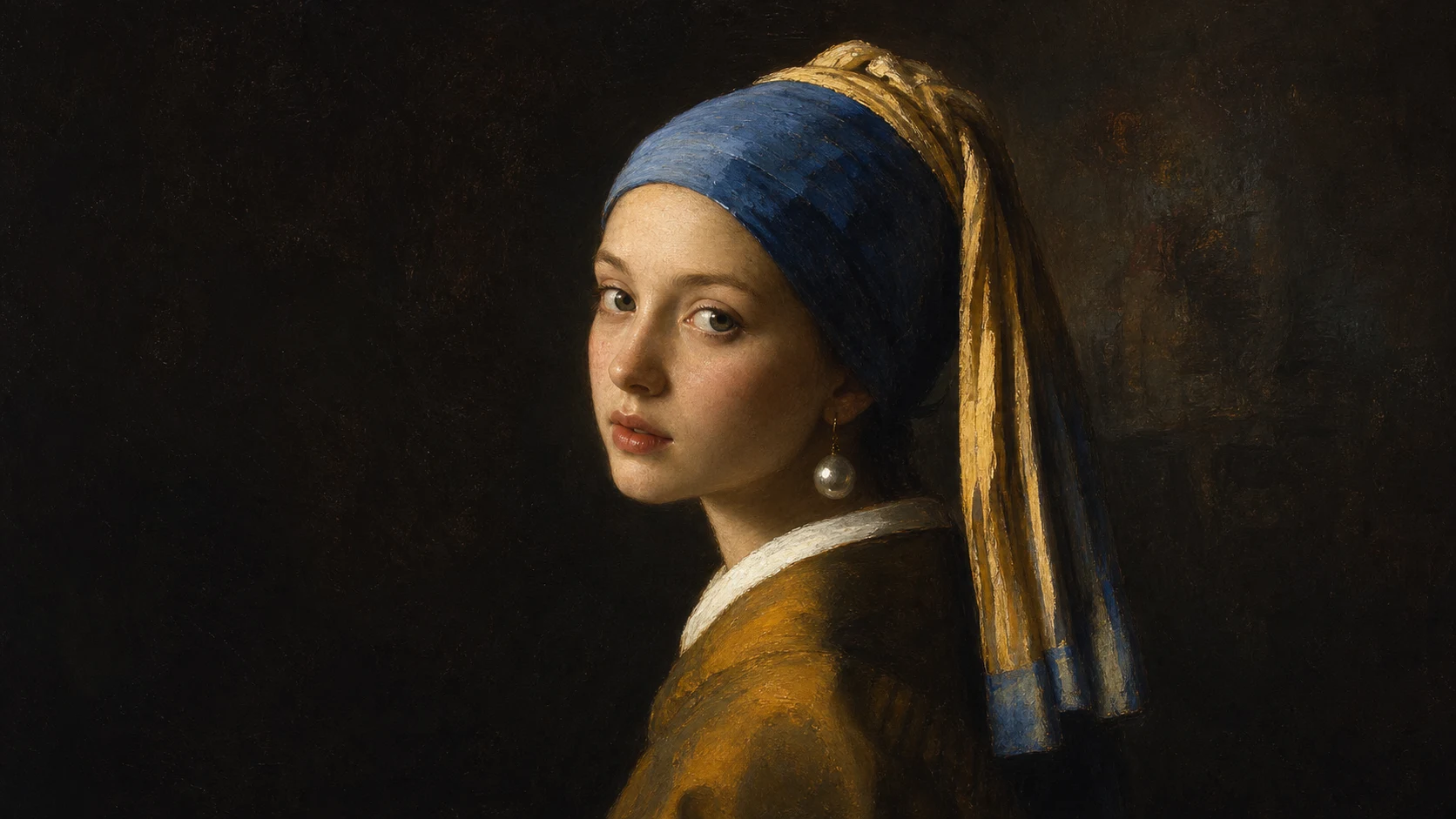
Girl With A Pearl Portrait Example 2

Painterly museum portrait

A refined old-master inspired result with painterly texture, a calm gaze, and museum-style atmosphere.

Ways to use Girl With A Pearl Portrait

Use this template when you want a specific pearl-earring, museum-style look from a portrait photo.

Personal creative portraits

Create a focused Girl With A Pearl Portrait preview for a personal artwork, profile concept, themed gift idea, or creative study.

Style exploration

Compare the classical visual direction before refining the image, sharing a draft, or presenting the concept to someone else.

Museum-style edits

Turn a clear head-and-shoulders image into a calm, painterly portrait with recognizable facial features and a dark gallery-like mood.

How to get a stronger result

A strong source image helps the portrait keep the subject’s identity while adopting the old-master inspired lighting and texture.

Source image checklist

  • Use a sharp source image with the main subject clearly visible.
  • Avoid heavy blur, blocked details, extreme crops, or confusing overlaps.
  • Choose a source whose pose and framing support the intended Girl With A Pearl Portrait result.

Prompt guidance

Describe the subject as a classical oil-painting portrait with a dark soft background, gentle side lighting, painterly skin texture, an elegant head turn, and a pearl earring accent when it fits the image. Ask to preserve the person’s identity, face shape, expression, gaze direction, and key facial traits.

Review before you use the result

Generated details can vary, so review the image before refining, sharing, or presenting it.

Check the likeness

Compare the face shape, expression, gaze direction, silhouette, pose, and key traits with the original photo.

Review the portrait style

Make sure the soft side light, dark backdrop, painterly texture, and pearl-inspired styling feel consistent across the image.

Look for visual issues

Inspect faces, hands, edges, small objects, and background transitions for distortions or distracting artifacts.

Girl With A Pearl Portrait FAQ

Common questions about creating a Girl With A Pearl Portrait online from your own image.

What is Girl With A Pearl Portrait?
Girl With A Pearl Portrait is a museum-style portrait effect inspired by old-master pearl-earring imagery. It adds soft lighting, a dark background, painterly texture, and a calm classical composition while preserving the source subject’s likeness.
Is Girl With A Pearl Portrait free?
Access details can vary, so check the current options shown in ClipCanva before you start your portrait.
How do I use Girl With A Pearl Portrait?
Choose a clear portrait, upload it, and use the Girl With A Pearl Portrait style to create a classical image with pearl-earring styling, side light, and painterly detail. Review the result for likeness and artifacts before using it further.
What image formats does Girl With A Pearl Portrait support?
Use a common image file with a clear subject and visible facial details. For best results, start with a sharp portrait where the face, pose, and important features are not blocked or heavily blurred.
Can I use Girl With A Pearl Portrait results commercially?
Usage depends on the rights you have in the source image and the applicable terms for your project. Review those terms before using the result in a commercial context.
What Girl With A Pearl Portrait changes can I expect?
It can add a dark soft background, side lighting, painterly skin texture, an elegant head turn, and a pearl earring accent when appropriate. The goal is a calm museum-style portrait, not a copy of another person.
Which source image works best?
A sharp, front or three-quarter portrait usually works best. Avoid extreme crops, heavy blur, covered facial features, busy overlaps, and lighting that hides the main face shape.
How do I keep the subject recognizable?
Start with a clear photo and compare the result against the source. Check the face shape, expression, gaze direction, silhouette, and defining facial traits to make sure the subject still reads as the same person.

Make your museum-style portrait

Start with a clear portrait and create a calm classical image with soft side light, painterly texture, a dark backdrop, and pearl-inspired styling.