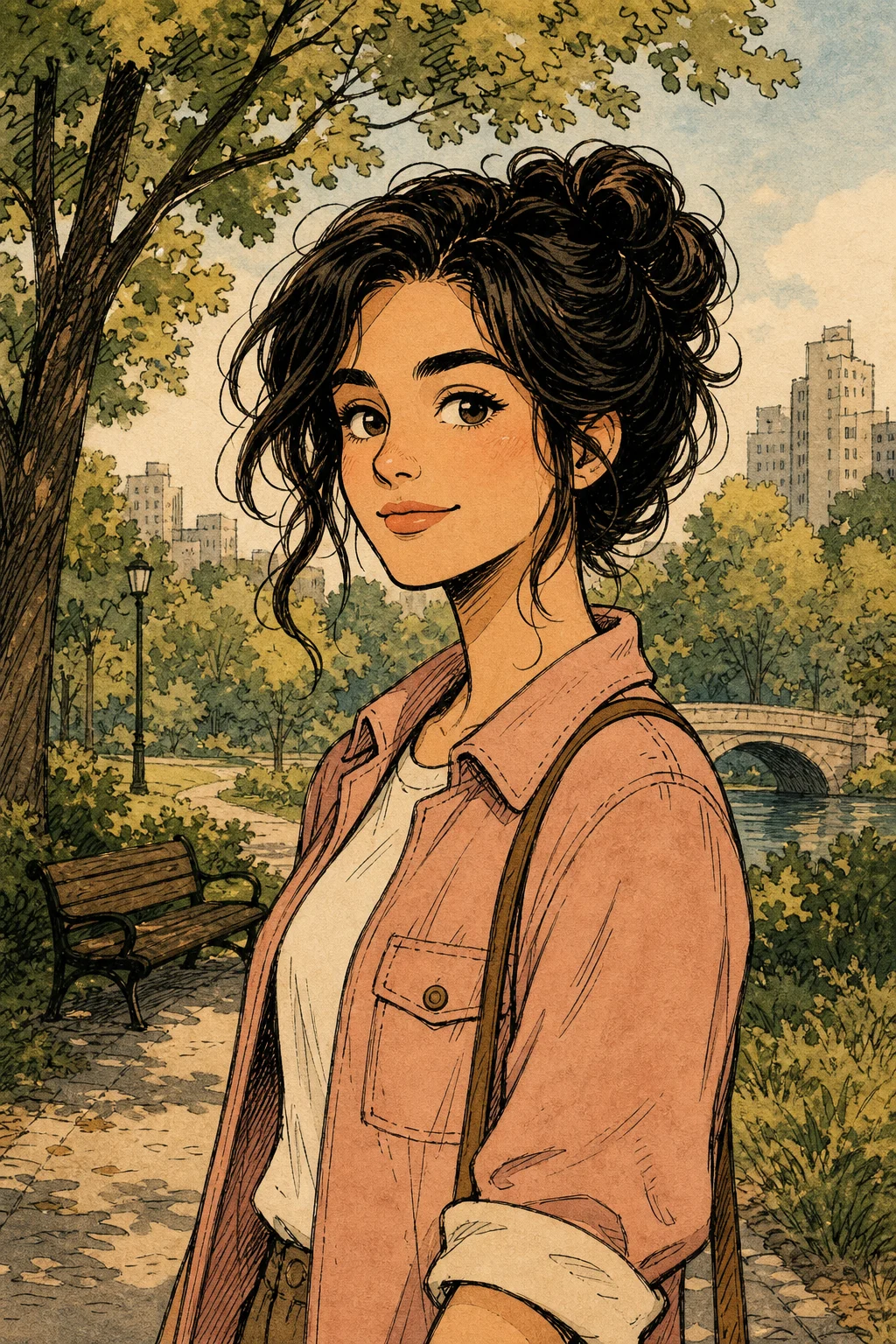
Snoopy AI Filter for Comic Portraits and Pet Photos

Snoopy AI Filter for Comic Portraits and Pet Photos

Turn a clear portrait or pet photo into a Snoopy-inspired comic image with clean ink lines, flat colors, rounded shapes, and recognizable subject details.

Snoopy AI Filter comic portrait example
0 / 2000
Template prompt

Snoopy AI Filter for Comic Portraits and Pet Photos

Apply the Snoopy-inspired comic filter effect to the uploaded portrait or pet photo. Preserve the subject identity, expression, hairstyle or fur shape, key colors, and distinctive traits. Rebuild it as a cute simple comic-strip character with clean ink lines, flat colors, rounded friendly shapes, nostalgic newspaper-comic charm, and a simple background. Simplify details strongly while keeping the uploaded subject recognizable.

Snoopy AI Filter comic portrait example

What is Snoopy AI Filter?

Snoopy AI Filter is a photo style template for turning a portrait or pet image into a simple comic-strip look. It emphasizes clean outlines, soft rounded shapes, flat color areas, and nostalgic character charm while keeping the person or pet easy to identify.

How the Snoopy AI Filter transforms your photo

The template translates a real portrait or pet photo into a simplified comic look while aiming to keep the subject’s core identity intact.

What changes

  • Creates an AI Snoopy-style comic version of a portrait or pet photo with simple lines, flat colors, rounded shapes, and recognizable subject traits.
  • Adds clean ink lines, flat color blocks, rounded friendly shapes, and nostalgic comic-strip simplicity.
  • Simplifies clothing, fur, facial details, and backgrounds so the image feels more like a charming character illustration.
  • Works best when the starting image has clear framing and the main subject is easy to identify.

What stays recognizable

  • Subject identity, expression, hairstyle or fur shape, key colors, and distinctive traits.
  • The main pose, silhouette, and important visual cues from the original image.
  • Recognizable details that help connect the comic version back to the uploaded subject.
  • A coherent relationship between the subject and a simple, readable background.

Snoopy AI Filter workflow

Follow a simple process to create a cleaner, more recognizable comic-style result.

1

Choose a clear source photo

Pick a sharp portrait or pet image where the subject’s face, pose, colors, and outline are visible.

2

Describe the key traits

Include the details that matter, such as expression, hairstyle, fur pattern, outfit color, or a simple background preference.

3

Preview the comic version

Check whether the result keeps the subject recognizable while using clean lines, flat colors, and rounded comic shapes.

4

Refine when needed

If important traits are missing or distorted, try a clearer source image, a closer crop, or a more specific description.

Snoopy AI Filter examples

These examples show how the Snoopy AI Filter can adapt to different portraits, pets, poses, and simple comic compositions.

Snoopy AI Filter portrait example

Rounded portrait comic look

A portrait-focused comic result with soft rounded features, clean linework, and simplified color areas.

Snoopy AI Filter pet photo example

Pet photo comic version

A pet-friendly variation that keeps fur shape, expression, and key colors readable in a simple illustrated style.

Snoopy AI Filter simple comic character example

Simple comic-strip character

A clean character-style result with minimal background detail and a nostalgic comic-strip mood.

Snoopy AI Filter playful comic example

Playful flat-color illustration

A more playful composition that uses flat colors and friendly shapes while preserving the main subject’s silhouette.

Ways to use Snoopy AI Filter

Use this template when you want a focused Snoopy-inspired visual direction before refining, sharing, or presenting the image.

Personal profile and keepsake images

Create a playful comic version of a selfie, family portrait, or pet photo while keeping the subject easy to recognize.

Creative concept previews

Test a rounded, nostalgic comic-strip look for a creative project before choosing the final image direction.

Style exploration

Compare different source photos or prompts to decide which framing best supports the Snoopy AI Filter look.

Lightweight visual drafts

Make a simple visual draft for a card, mood board, social post, or character-inspired presentation.

How to get a better Snoopy AI Filter result

A strong source image helps the comic treatment stay clean, readable, and recognizable.

Source image checks

  • Use a sharp source image with the main subject clearly visible.
  • Avoid heavy blur, blocked details, extreme crops, or confusing overlaps.
  • Choose a source whose pose and framing support the intended Snoopy AI Filter result.

Prompt guidance

Mention the subject type, expression, hairstyle or fur shape, key colors, pose, and any details that must remain. Ask for clean ink lines, flat colors, rounded friendly shapes, and a simple comic-strip background.

Review before downloading

Generated details can vary, so review the image before using it in a personal, creative, or presentation context.

Subject recognition

Compare the finished image with the source and confirm the face, pet shape, hairstyle, fur outline, or other identity cues still read clearly.

Style coherence

Look for clean ink lines, flat colors, rounded shapes, and an overall Snoopy-inspired comic feel across the image.

Detail review

Inspect faces, paws, hands, small accessories, text, edges, and background transitions for odd distortions or unfinished details.

Snoopy AI Filter FAQ

Common questions about choosing a source photo and shaping a recognizable Snoopy-inspired comic result.

What is Snoopy AI Filter?
Snoopy AI Filter is a visual style template that converts a portrait or pet photo into a cute comic version with simple lines, flat colors, rounded forms, and a nostalgic strip-like feel.
Which photos work best with Snoopy AI Filter?
Sharp portraits and pet photos work best. The face, fur shape, hairstyle, pose, and defining colors should be visible without heavy blur, blocked details, or confusing overlaps.
How do I use Snoopy AI Filter?
Start with a clear image, keep the main subject prominent, and describe any details that matter, such as hairstyle, fur color, expression, clothing, or a simple background.
What image formats does Snoopy AI Filter support?
Use a common image format supported by the upload flow, such as JPG, PNG, or WebP. For best results, choose a clean, high-quality image rather than a tiny or heavily compressed file.
Can I use my own photo with Snoopy AI Filter?
Yes. The template is designed for your own portrait or pet photo, especially when the subject has clear defining traits that should remain recognizable after the comic-style transformation.
What does Snoopy AI Filter change?
It changes the photo into a simplified Snoopy-inspired comic look with ink-like outlines, flat colors, rounded character shapes, and a cleaner background treatment.
Which source image works best?
A source image with a clear subject, natural framing, visible features, and little visual clutter usually gives the most coherent result.
How do I keep the subject recognizable?
Choose a photo where the subject identity is obvious, then preserve important traits such as expression, pose, hairstyle or fur outline, key colors, and distinctive accessories.

Try the Snoopy AI Filter online

Use a clear portrait or pet photo to make a simple, rounded comic version that keeps the subject’s most important traits visible.