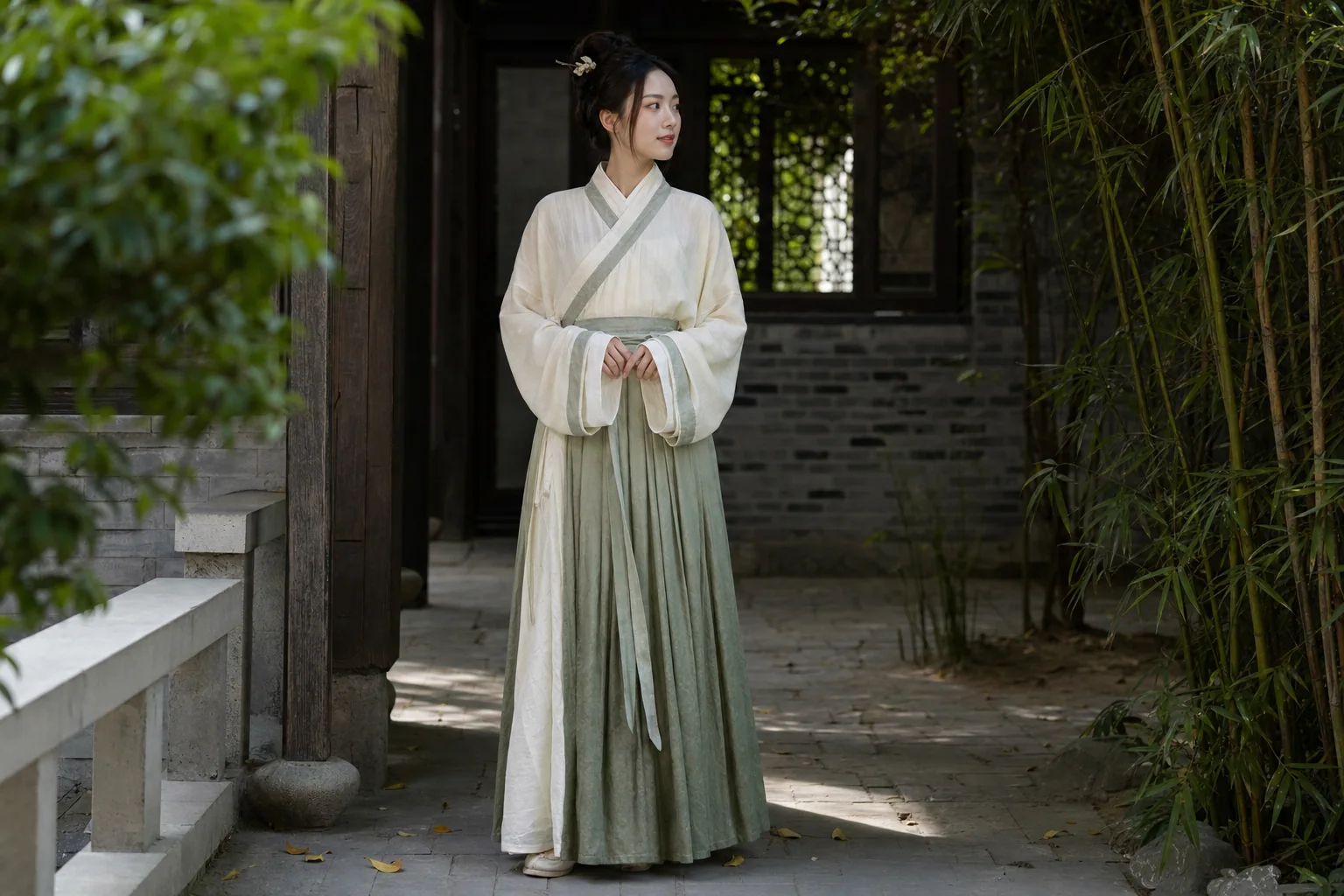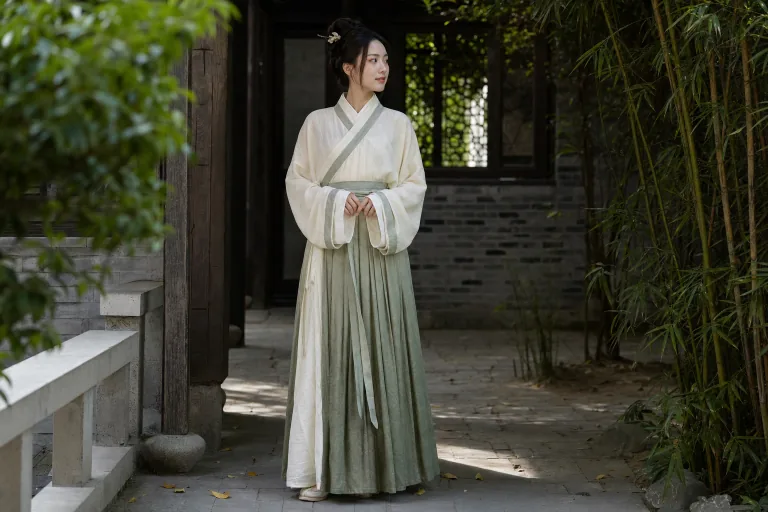
Hanfu Dress Try-On for layered robe previews

Hanfu Dress Try-On for layered robe previews

Preview yourself or a subject in hanfu with layered robes, crossed or parallel collars, wide sleeves, sash placement, flowing drape, and color relationships inspired by period styling.

Hanfu Dress Try-On preview with layered robes and wide sleeves
0 / 2000
Template prompt

Hanfu Dress Try-On for layered robe previews

Preview hanfu with crossed or parallel collars, layered robes, wide sleeves, sash placement, flowing drape, and period-informed color relationships. Preserve the same person, face, body proportions, pose, lighting, camera angle, and background. Change only the clothing and coordinated accessories.

Hanfu Dress Try-On preview with layered robes and wide sleeves

What is Hanfu Dress Try-On?

Hanfu Dress Try-On helps you turn a clear portrait or full-body photo into a visual preview of hanfu styling. The result focuses on recognizable hanfu elements such as crossed or parallel collars, layered robes, wide sleeves, coordinated sashes, soft drape, and balanced traditional color direction while keeping the original person and scene intact.

What the template transforms

The template focuses on replacing the outfit with hanfu-inspired clothing while keeping the original subject and composition stable.

What changes

  • Preview hanfu with crossed or parallel collars, layered robes, wide sleeves, sash placement, flowing drape, and period-informed color relationships.
  • Add style-specific details such as collar structure, robe layers, sash position, sleeve volume, coordinated accessories, and traditional color direction.
  • Change only the clothing and coordinated accessories while preserving the same person, face, body proportions, pose, lighting, camera angle, and background.
  • Refine the direction by naming a form, era, or visual reference when it matters, while treating the output as a creative reference rather than historical documentation.

What stays consistent

  • Preserve the same person, face, body proportions, pose, lighting, camera angle, and background.
  • The main subject remains recognizable from the source image.
  • Defining colors, pose, silhouette, and important subject details stay coherent.

Hanfu Dress Try-On workflow

Use a clear image, define the hanfu details that matter, then review the result for both identity preservation and clothing coherence.

1

Upload a suitable source image

Choose a sharp photo where the subject, pose, face, torso, arms, and overall composition are visible enough to support a hanfu preview.

2

Describe the hanfu styling

Specify the desired hanfu direction, such as crossed or parallel collars, layered robes, wide sleeves, sash placement, flowing drape, and color relationships.

3

Inspect and refine

Review the generated preview for subject consistency, clothing structure, artifacts, and whether the result matches your intended creative direction.

Hanfu style variations to try

Explore different hanfu directions by adjusting the collar style, robe layers, sleeve width, sash placement, and color palette while keeping the original subject recognizable.

Hanfu Dress Try-On with layered robes and sash placement

Layered robe hanfu preview

A clear hanfu try on direction with layered robes, a defined sash, broad sleeves, and a balanced color palette for a polished visual preview.

Hanfu Dress Try-On with flowing sleeves and traditional color styling

Flowing sleeve hanfu preview

A focused Hanfu Dress Try-On look that emphasizes collar shape, flowing sleeve drape, coordinated accessories, and a soft period-informed color relationship.

Ways to use Hanfu Dress Try-On

Use Hanfu Dress Try-On when you want a focused visual reference before refining an image, comparing styles, or sharing a creative direction.

Personal and creative previews

Create a hanfu preview for a portrait, character concept, costume idea, personal project, mood board, or styling reference.

Style direction comparison

Compare collar types, sleeve volume, robe layering, sash placement, and color direction before choosing a more refined look.

How to get a clearer hanfu result

A specific direction helps the preview align with the hanfu form you have in mind. If an era, collar style, sleeve shape, or color palette matters, include it clearly.

Source image checklist

  • Use a sharp source image with the main subject clearly visible.
  • Avoid heavy blur, blocked details, extreme crops, or confusing overlaps.
  • Choose a source whose pose and framing support the intended Hanfu Dress Try-On result.

Prompt guidance

Describe the hanfu form or era when relevant, such as crossed collar, parallel collar, ruqun-inspired layers, broad sleeves, a defined sash, soft flowing fabric, and period-informed color relationships. Ask to preserve the same person, face, body proportions, pose, lighting, camera angle, and background, and to change only the clothing and coordinated accessories.

Review your Hanfu Dress Try-On result

Treat the generated image as a creative preview. Review both the preserved source details and the hanfu styling before refining, presenting, or sharing the result.

Subject consistency

Compare the face, body proportions, pose, and overall silhouette with the original image to make sure the subject still feels like the same person.

Hanfu styling

Check that the hanfu elements are coherent, including collar direction, layered robes, wide sleeves, sash placement, flowing drape, and coordinated colors.

Image quality

Inspect faces, hands, sleeve edges, robe hems, small accessories, background transitions, and any text or objects for distortions or artifacts.

Hanfu Dress Try-On FAQ

Use these answers to prepare a better source image, guide the look, and review the finished hanfu preview with care.

What is Hanfu Dress Try-On?
Hanfu Dress Try-On is a visual editing template for previewing hanfu-inspired clothing on a person in an existing image. It changes the outfit and coordinated accessories while aiming to preserve the subject, pose, lighting, camera angle, and background.
What photo works best?
A sharp, well-lit image with the subject clearly visible works best. Full-body or three-quarter framing is especially helpful when you want to show robe layers, sleeve width, sash placement, and the overall drape.
Is the preview historically or ceremonially exact?
No. The preview can reference hanfu forms, eras, and color relationships, but it should be treated as a creative visual draft rather than historical, ceremonial, or scholarly documentation.
What Hanfu Dress Try-On changes?
It is intended to change only the clothing and coordinated accessories. The same person, face, body proportions, pose, lighting, camera angle, and background should remain recognizable from the source image.
Which source image works best?
Choose a source image without heavy blur, blocked hands or clothing, extreme crops, or confusing overlaps. A pose with visible shoulders, torso, and arms makes wide sleeves and robe layering easier to preview.
How do I keep the subject recognizable?
Start with a clear photo and avoid asking for unnecessary changes to the face, body, pose, or setting. After generation, compare the face, proportions, silhouette, and defining details against the source.
What should I review before using the result?
Review the collar structure, robe layers, sash position, sleeve shape, fabric edges, hands, face, small objects, and background transitions. Generated details can vary, so inspect the image before using or sharing it.

Ready to try a Hanfu Dress Try-On?

Start with a clear source image and create a focused hanfu try on preview with layered robes, wide sleeves, sash placement, and a coherent traditional color direction.