
01
மூலப் படத்துடன் தொடங்கவும்
முடிந்தால் திரைப்பிடிப்பு அல்லது பலமுறை சுருக்கப்பட்ட நகலுக்கு பதில் சிறந்த மூலக் கோப்பை பதிவேற்றுங்கள்.
தயாரிப்பு படங்கள், உருவப்படங்கள், ஸ்கேன்கள், சிறுபடங்கள் மற்றும் சமூகப் படங்களை பெரிதாக்கி தோற்றத் தெளிவை மேம்படுத்த ஒரு படத்தைப் பதிவேற்றுங்கள். பதிவிறக்கும் முன் மூலத்துடன் ஒப்பிடுங்கள்.
இயல்புநிலை முறை
பதிவேற்றத் தயார்
முன்னோட்டம், ஒப்பிடல் மற்றும் பதிவிறக்கம்
தயாரிப்பு படங்கள், உருவப்படங்கள், ஸ்கேன்கள், சிறுபடங்கள் மற்றும் சமூகப் படங்களை பெரிதாக்கி தோற்றத் தெளிவை மேம்படுத்த ஒரு படத்தைப் பதிவேற்றுங்கள். பதிவிறக்கும் முன் மூலத்துடன் ஒப்பிடுங்கள்.


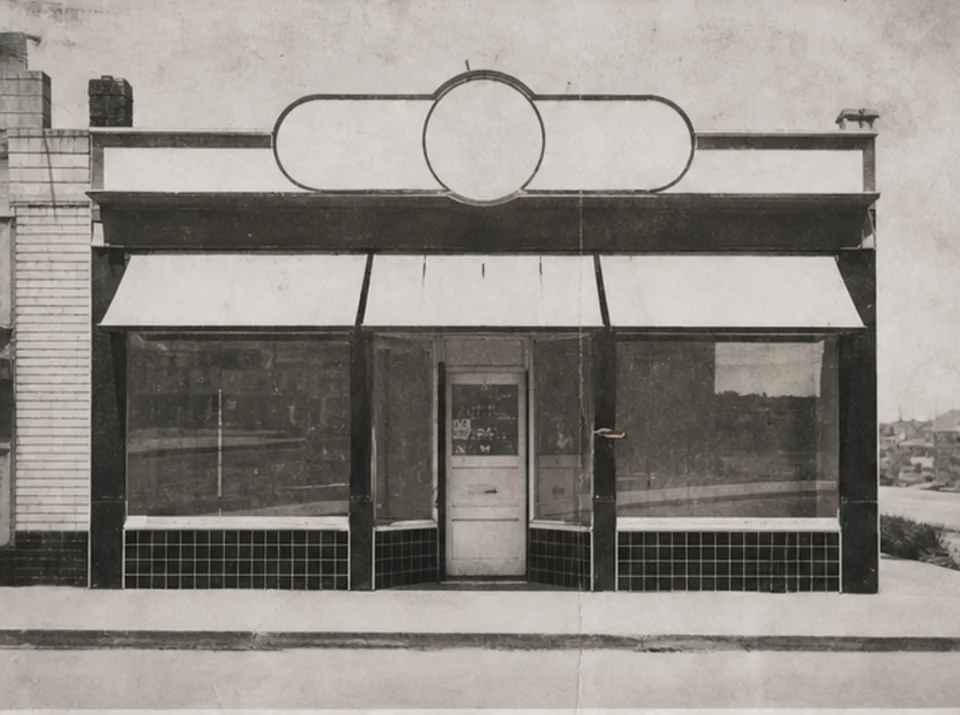

தயாரிப்பு படங்கள், உருவப்படங்கள், ஸ்கேன்கள், சிறுபடங்கள் மற்றும் சமூகப் படங்களை பெரிதாக்கி தோற்றத் தெளிவை மேம்படுத்த ஒரு படத்தைப் பதிவேற்றுங்கள். பதிவிறக்கும் முன் மூலத்துடன் ஒப்பிடுங்கள்.
முடிந்தால் திரைப்பிடிப்பு அல்லது பலமுறை சுருக்கப்பட்ட நகலுக்கு பதில் சிறந்த மூலக் கோப்பை பதிவேற்றுங்கள்.
இறுதி அளவு மற்றும் மூலத்தில் தெரியும் விவரத்திற்கு ஏற்ப நடைமுறை 2× அல்லது 4× இலக்கைத் தேர்ந்தெடுக்கவும்.
மேம்பாட்டை ஒருமுறை இயக்கி நேரடி ஒப்பீட்டிற்கு அசலை வைத்திருக்கவும்.
இரு படங்களையும் முழு அளவில் ஒப்பிட்டு உரை, முகங்கள், தயாரிப்பு வடிவம், மீண்டும் வரும் அமைப்பு, ஒளிவட்டம் மற்றும் காப்பக விவரங்களைப் பார்க்கவும்.
பெரிதாக்குதல் விளிம்பு மற்றும் அமைப்பைத் தெளிவாகக் காட்டலாம், ஆனால் மூலப் படத்தில் இல்லாத தகவலை மீட்க முடியாது.
ஏற்கனவே படிக்கக்கூடிய உரை தெளிவாகலாம். காணாத அல்லது படிக்க முடியாத எழுத்துகளை நம்பத்தகுந்த வகையில் மறுகட்டமைக்க முடியாது; அதிகாரப்பூர்வ மூலத்துடன் சரிபார்க்க வேண்டும்.
மேம்பாட்டின்போது நுண் அமைப்பு மற்றும் சிறிய வடிவங்கள் ஊகிக்கப்படலாம். தயாரிப்புகள், முகங்கள், ஆவணங்கள் மற்றும் காப்பக விவரங்களை மூலத்துடன் ஒப்பிடுங்கள்.
இலவச படங்களில் watermark இருக்கும். சுத்தமான output, வேகமான generation மற்றும் வணிகப் பயன்பாட்டிற்கு upgrade செய்யுங்கள்.
ஸ்டார்டர் பேக்
படம், இசை மற்றும் குறுகிய வீடியோ உருவாக்கத்தை முயற்சிப்பதற்கான ஒரு முறை கிரெடிட் பேக்.
படைப்பாளி
மாதாந்திர திட்டம் · 1,500 credits ஒவ்வொரு மாதமும் renew ஆகும்
GPT Image 2 Unlimited
Stripe Checkout-இல் FOUNDING6 குறியீட்டை உள்ளிடுங்கள்: முதல் 6 மாதங்கள் $19/மாதம், பின்னர் $29/மாதம்.
ப்ரோ
மாதாந்திர திட்டம் · ஒவ்வொரு மாதமும் 4,000 கிரெடிட்கள் புதுப்பிக்கப்படும்
ஸ்டுடியோ
மாதாந்திர திட்டம் · 12,000 credits ஒவ்வொரு மாதமும் renew ஆகும்
பாதுகாப்பான கட்டணம் · சந்தாக்கள் தானாகப் புதுப்பிக்கப்படும் · பணத் திரும்பப்பெறும் தகுதியைக் காண்க
குழு
ஏஜென்சிகள், உற்பத்தி குழுக்கள் மற்றும் தனிப்பயன் அளவு தேவைகளுக்கு.
தயாரிப்பு படங்கள், உருவப்படங்கள், ஸ்கேன்கள், சிறுபடங்கள் மற்றும் சமூகப் படங்களை பெரிதாக்கி தோற்றத் தெளிவை மேம்படுத்த ஒரு படத்தைப் பதிவேற்றுங்கள். பதிவிறக்கும் முன் மூலத்துடன் ஒப்பிடுங்கள்.
தயாரிப்பு படங்கள், உருவப்படங்கள், ஸ்கேன்கள், சிறுபடங்கள் மற்றும் சமூகப் படங்களை பெரிதாக்கி தோற்றத் தெளிவை மேம்படுத்த ஒரு படத்தைப் பதிவேற்றுங்கள். பதிவிறக்கும் முன் மூலத்துடன் ஒப்பிடுங்கள்.